Category — w. Most Recent Stuff
Next Week (April 16 Through April 24, 2016) at Walt Disney World
DISNEY WORLD NEXT WEEK: APRIL 16 TO APRIL 24, 2016
The material below details next week’s Disney World operating hours, Extra Magic Hours, parades, and fireworks.
Note that typos happen, and schedules change! If something seems odd, or if you want to double check, use the calendar links near the bottom to get the latest official Disney World scoop.
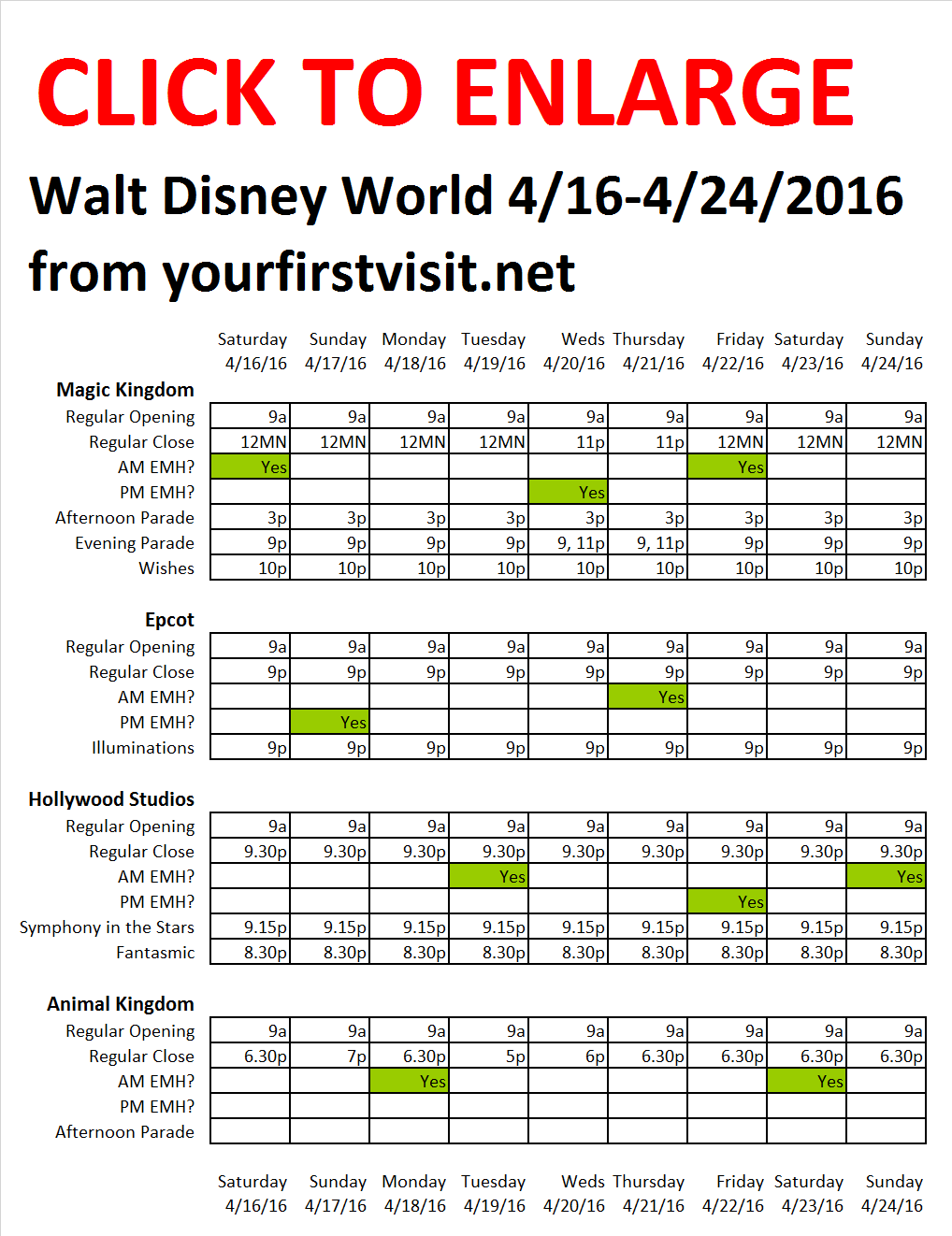
OPERATING HOURS AT WALT DISNEY WORLD 4/16-4/24/2016
The Magic Kingdom will be open from 9a-12MN 4/16 through 4/19, 9a-11p 4/20 and 4/21, and 9a-12MN 4/22 through 4/24
Epcot will be open from 9a-9p every day
Disney’s Hollywood Studios will be open 9a-9.30p every day
Disney’s Animal Kingdom will be open 9a-6.30p 4/16, 9a-7p 4/17, 9a-6.30p 4/18, 9a-5p 4/19, 9a-6p 4/20, and 9a-6.30p 4/21 through 4/24
EXTRA MAGIC HOURS AT WALT DISNEY WORLD 4/16-4/24/2016
Saturday 4/16 Morning: Magic Kingdom Evening: none
Sunday 4/17 Morning: none Evening: Epcot
Monday 4/18 Morning: Animal Kingdom Evening: none
Tuesday 4/19 Morning: Hollywood Studios Evening: none
Wednesday 4/20 Morning: none Evening: Magic Kingdom
Thursday 4/21 Morning: Epcot Evening: none
Friday 4/22 Morning: Magic Kingdom Evening: Hollywood Studios
Saturday 4/23 Morning: Animal Kingdom Evening: none
Sunday 4/24 Morning: Hollywood Studios Evening: none
 PARADES AT WALT DISNEY WORLD 4/16-4/24/2016
The Magic Kingdom:
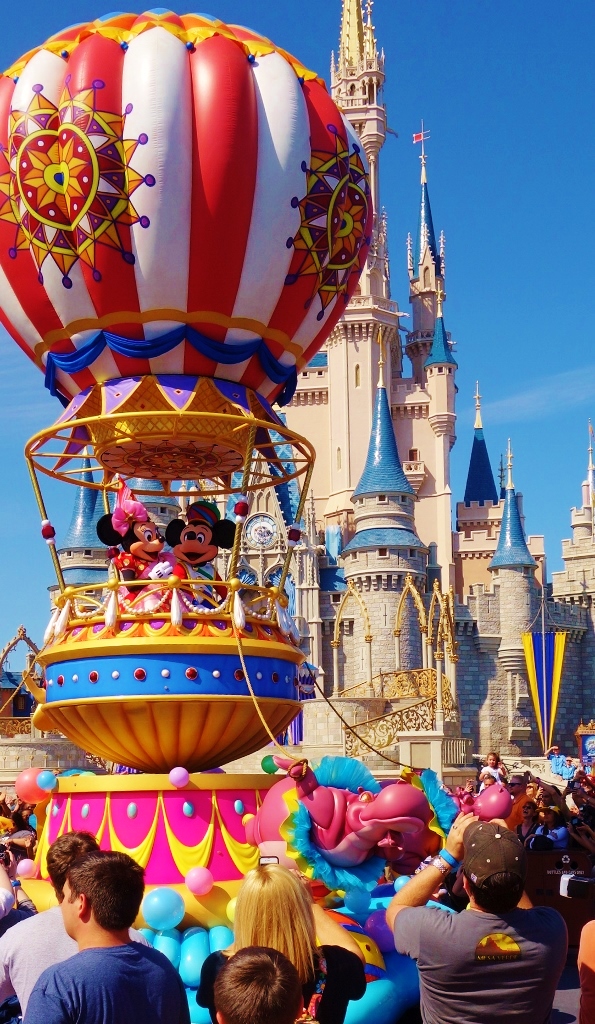
- Afternoon Festival of Fantasy Parade: 3p every day
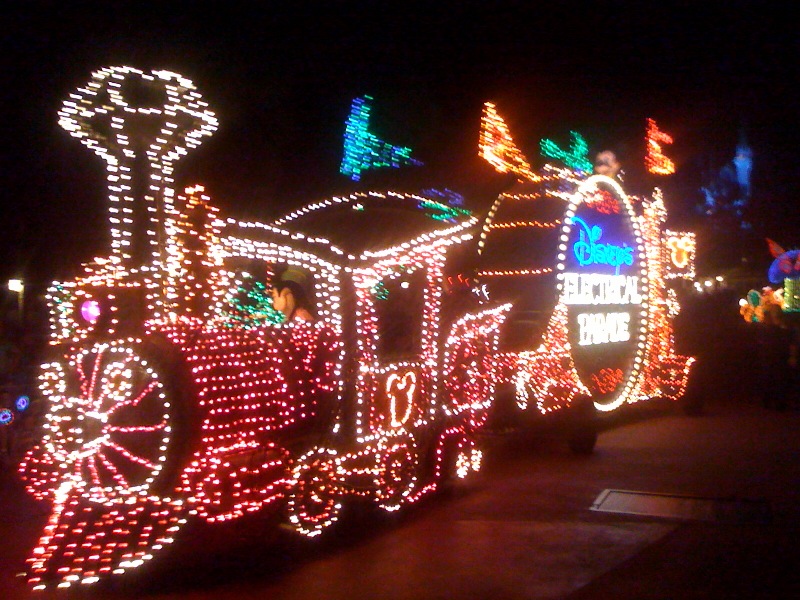
- Evening Main Street Electrical Parade: 9p 4/16 though 4/19; 9a nad 11p 4/20 and 4/21; 9p 4/22 through 4/24
FIREWORKS AT WALT DISNEY WORLD 4/16-4/24/2016
Wishes at the Magic Kingdom: 10p every night
IllumiNations at Epcot: 9p every night
Fantasmic at Disney’s Hollywood Studios: 8.30p every night
Symphony in the Stars at Disney’s Hollywood Studios: 9.15p every night
SHOW SCHEDULES FOR WALT DISNEY WORLD 4/16-4/24/2016
See Steve Soares’ site here. Click the park names at its top for show schedules.
LONG RANGE WEATHER FORECAST FOR WALT DISNEY WORLD 4/16-4/24/2016
See this for forecasts.
DISCLAIMER
Everything is subject to change and typos! Check the Disney Calendars for updates and official schedules. These calendars can be found by clicking the following links:
Follow yourfirstvisit.net on Facebook or Google+ or Twitter or Pinterest
April 14, 2016 No Comments
The Basics: My Disney Experience and MagicBands
Note: MagicBands are no longer free for those with Disney resort hotel reservations. They are still available, and useable–just not free.
MY DISNEY EXPERIENCE AND MAGICBANDS
The My Disney Experience web resources (and app) is a key tool for planning your Disney World vacation–especially FastPass+.
And if you are staying in a Disney-owned resort, you need to know about MagicBands too!
MY DISNEY EXPERIENCE
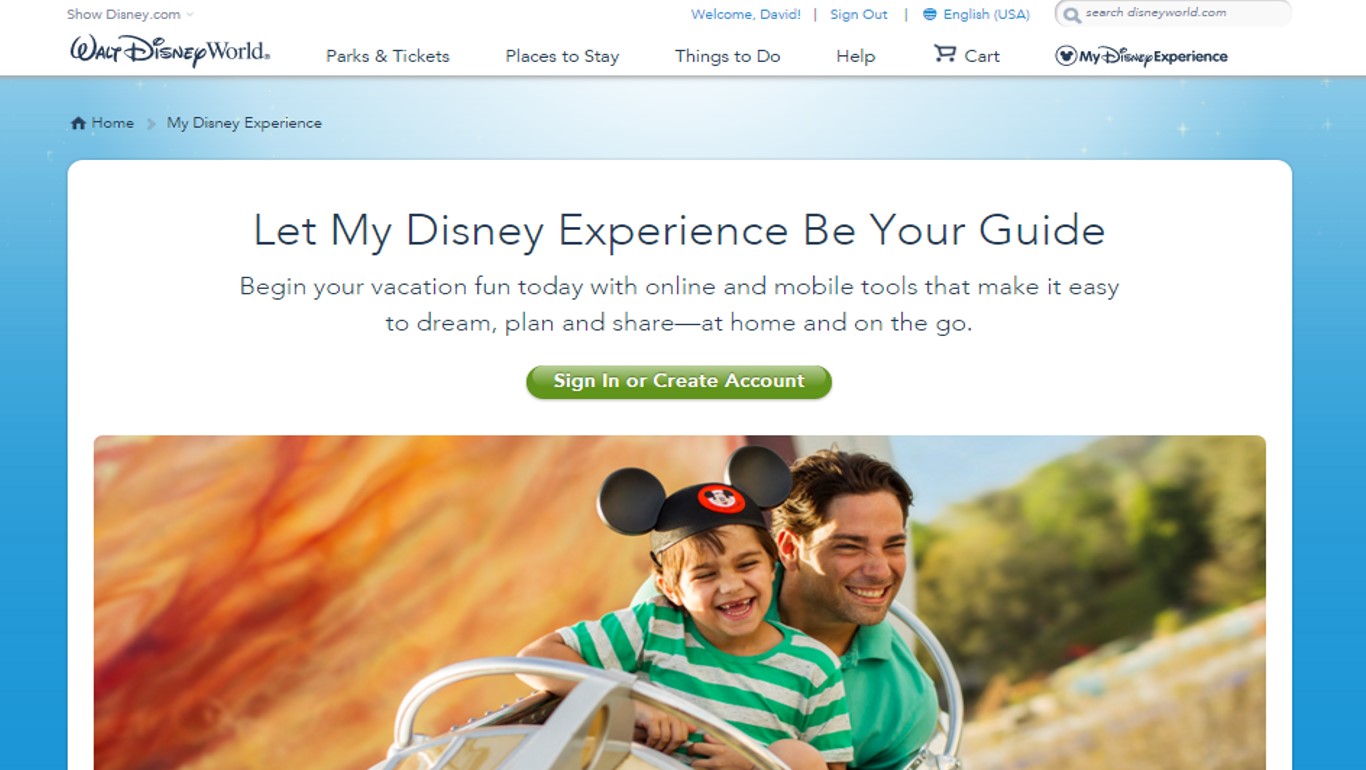
If you don’t already have a My Disney Experience (MDE) account, sign up for one by visiting this page and clicking the “sign in or create account” button in the middle of the screen.
There’s also a My Disney Experience app. Once you are signed up on the website, get the app as well. Although Disney does not make a big deal out of this, the website is meant for planning, and the app for in-Orlando checks and changes. It is generally easier and faster to do your planning via the website.
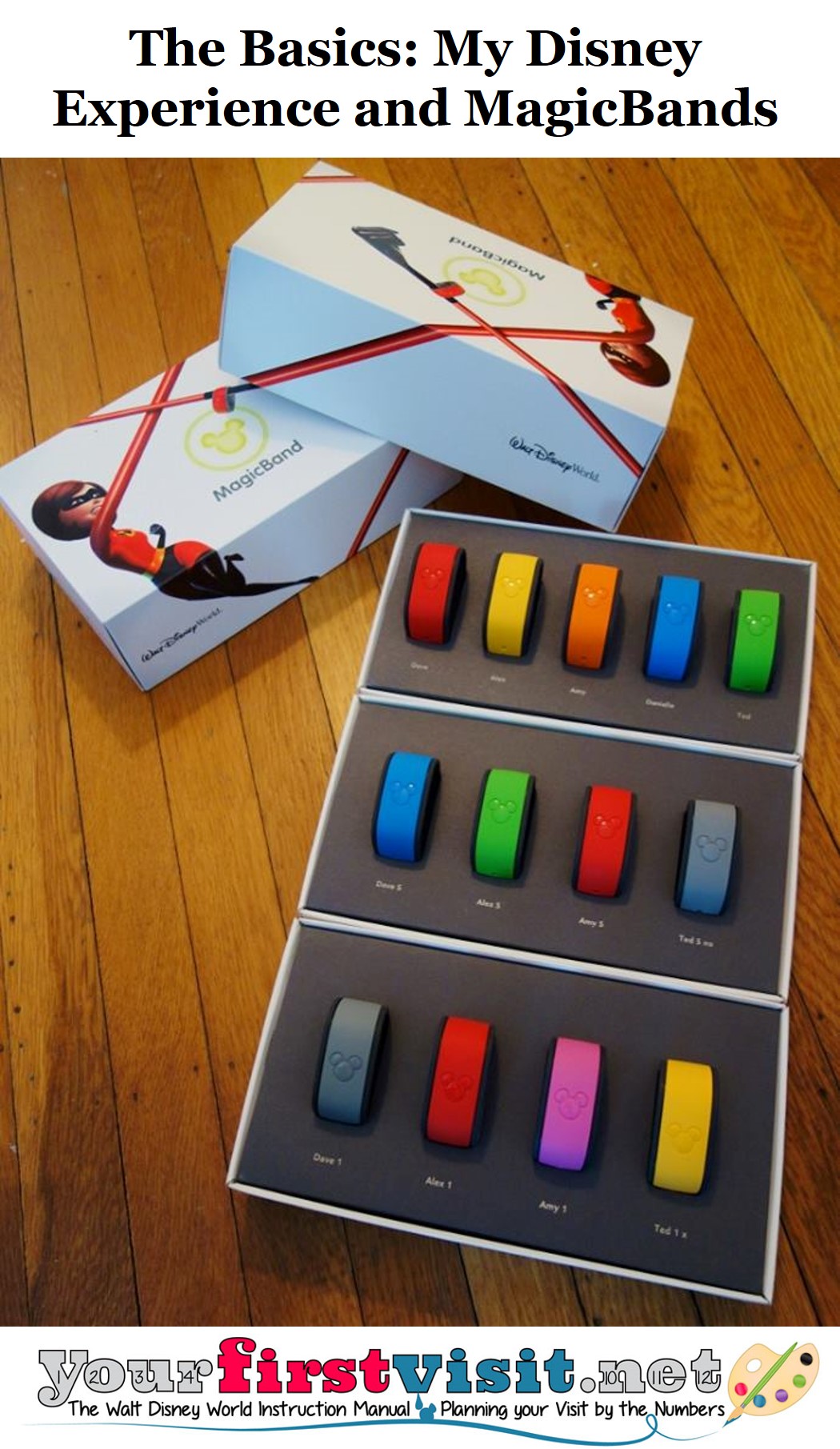
A My Disney Experience account is required to make FastPass+ reservations, and handy for all your other reservations. If you are staying at a Disney-owned resort hotel, you also use it to customize your MagicBands (more on those below) and do online check-in.
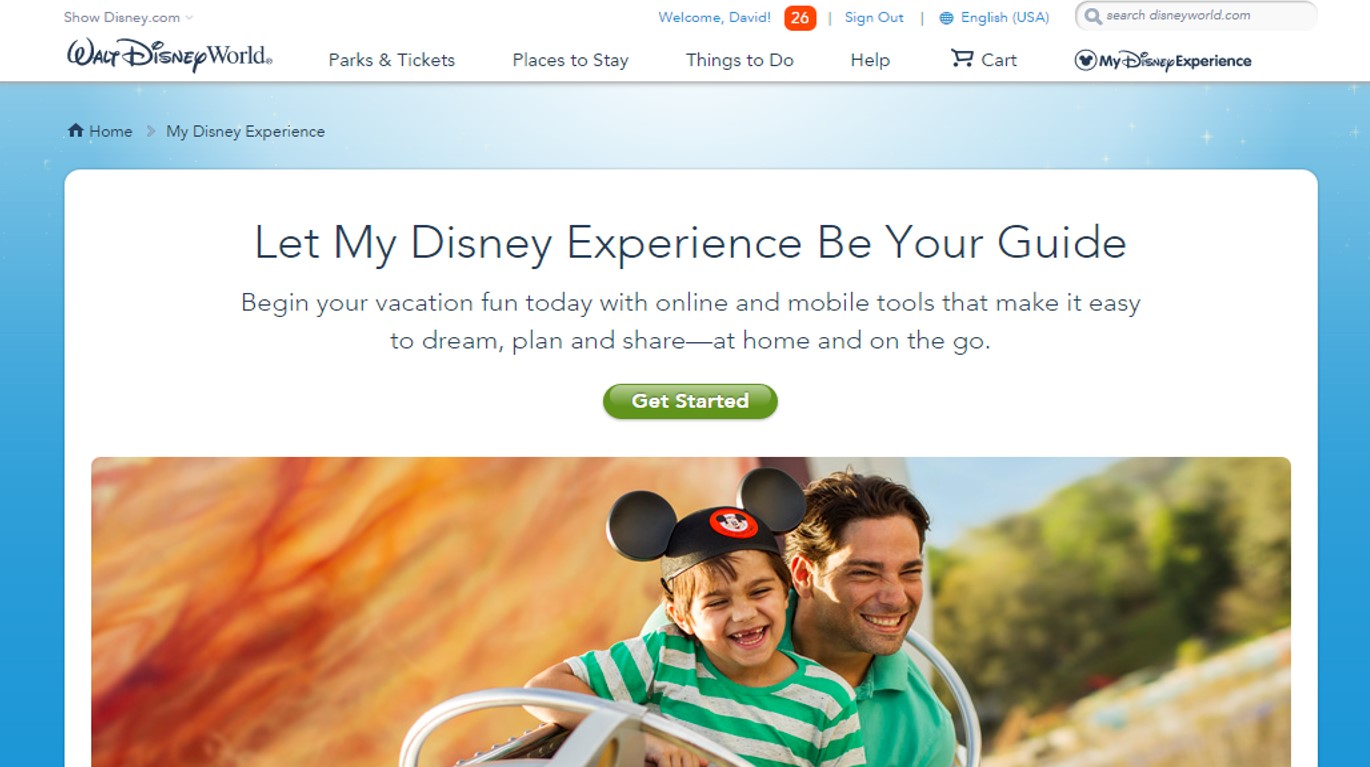
See the menu items at the top of the image. From your account you can buy tickets (“Parks & Tickets”), book your hotel (“Places to Stay”), make dining and other reservations (“Things to Do”), and see your current plans.
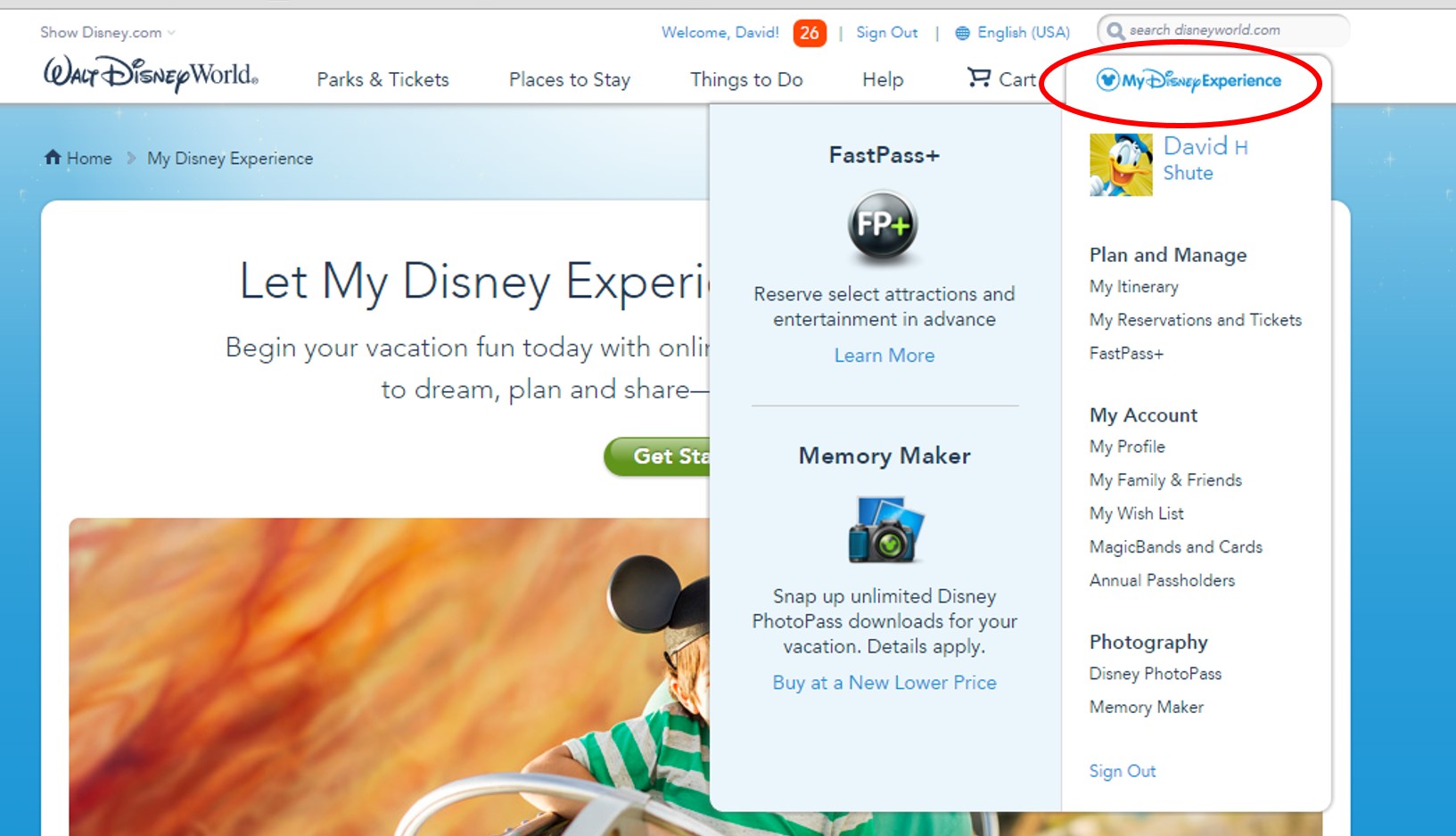
There’s many more tools in the “My Disney Experience” dropdown at the right.
The first section is “Plan and Manage,” with three clickable links, “My Itinerary,” “My Reservations and Tickets,” and “FastPass+.”
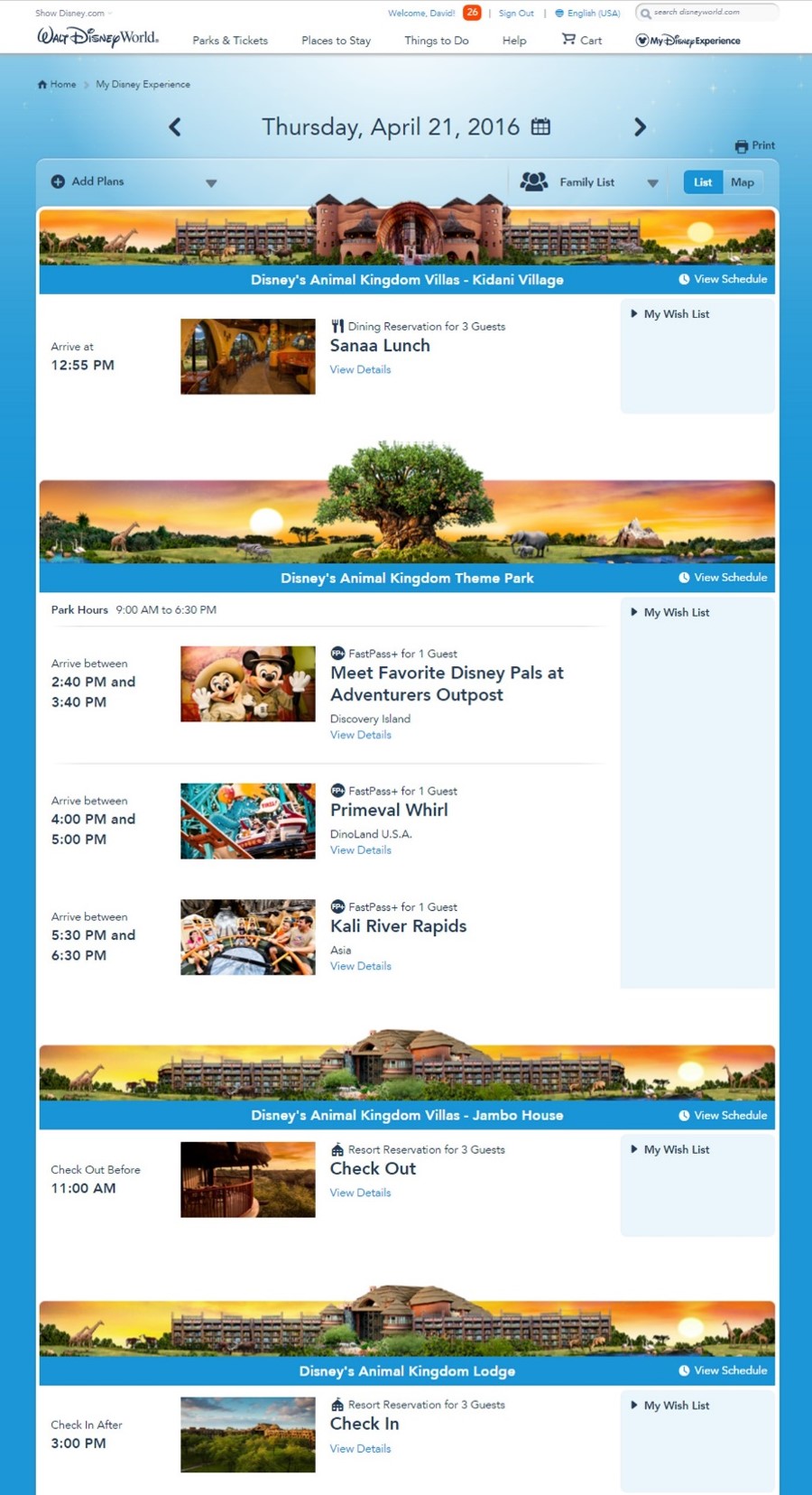
“My Itinerary” will show everything MDE knows about your trip, one day at a time. So it knows and reminds me that April I am having lunch at Sanaa, later have some FastPass+ at the Animal Kingdom, and am checking out of a Jambo DVC room and into a regular Animal Kingdom Lodge room.
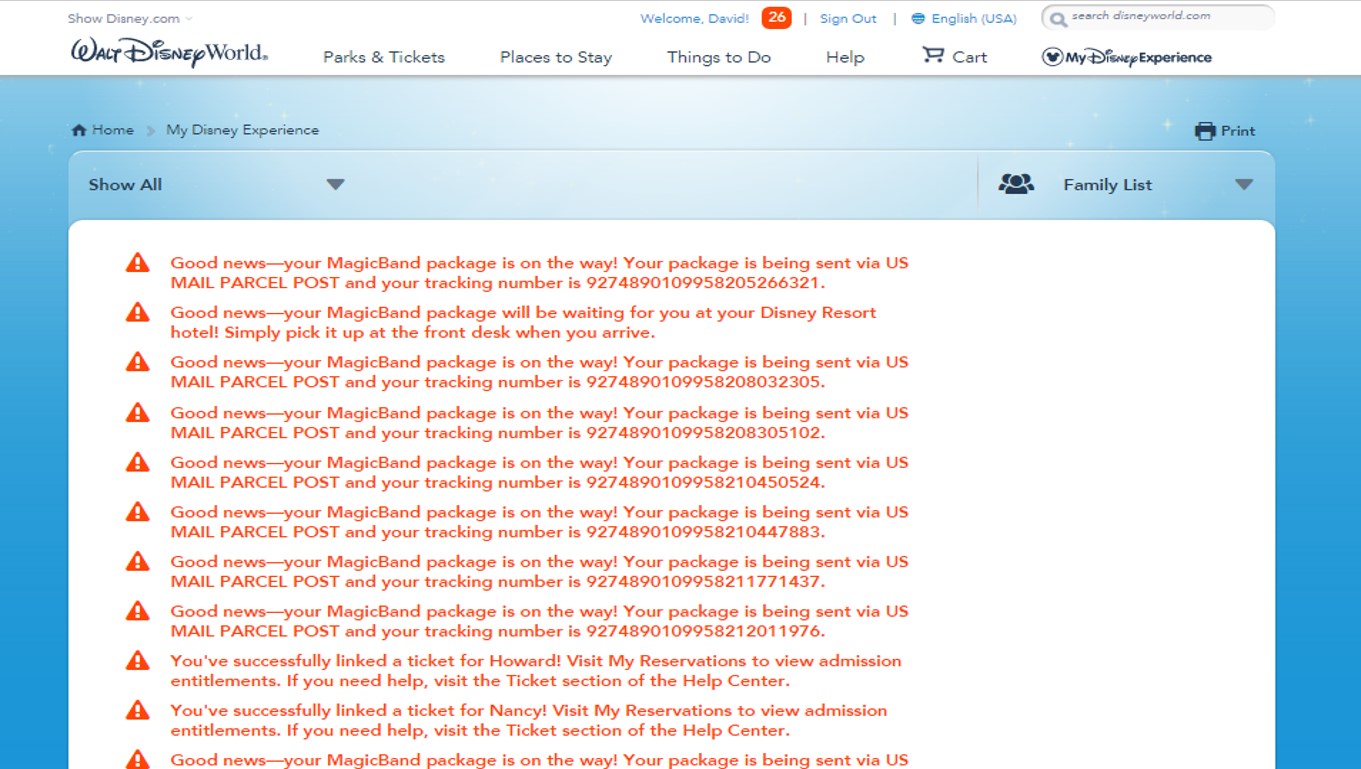
“My Reservations and Tickets” shows basically the same stuff, but ordered by topic rather than date–so, for example, all dining will be grouped under the topic “Dining Reservations.”
It also adds a list of your valid tickets, and begins with, in red, some annoying messaging. Messaging is one of the weaker parts of the MDE site—there’s no way to mark messages as read, etc.
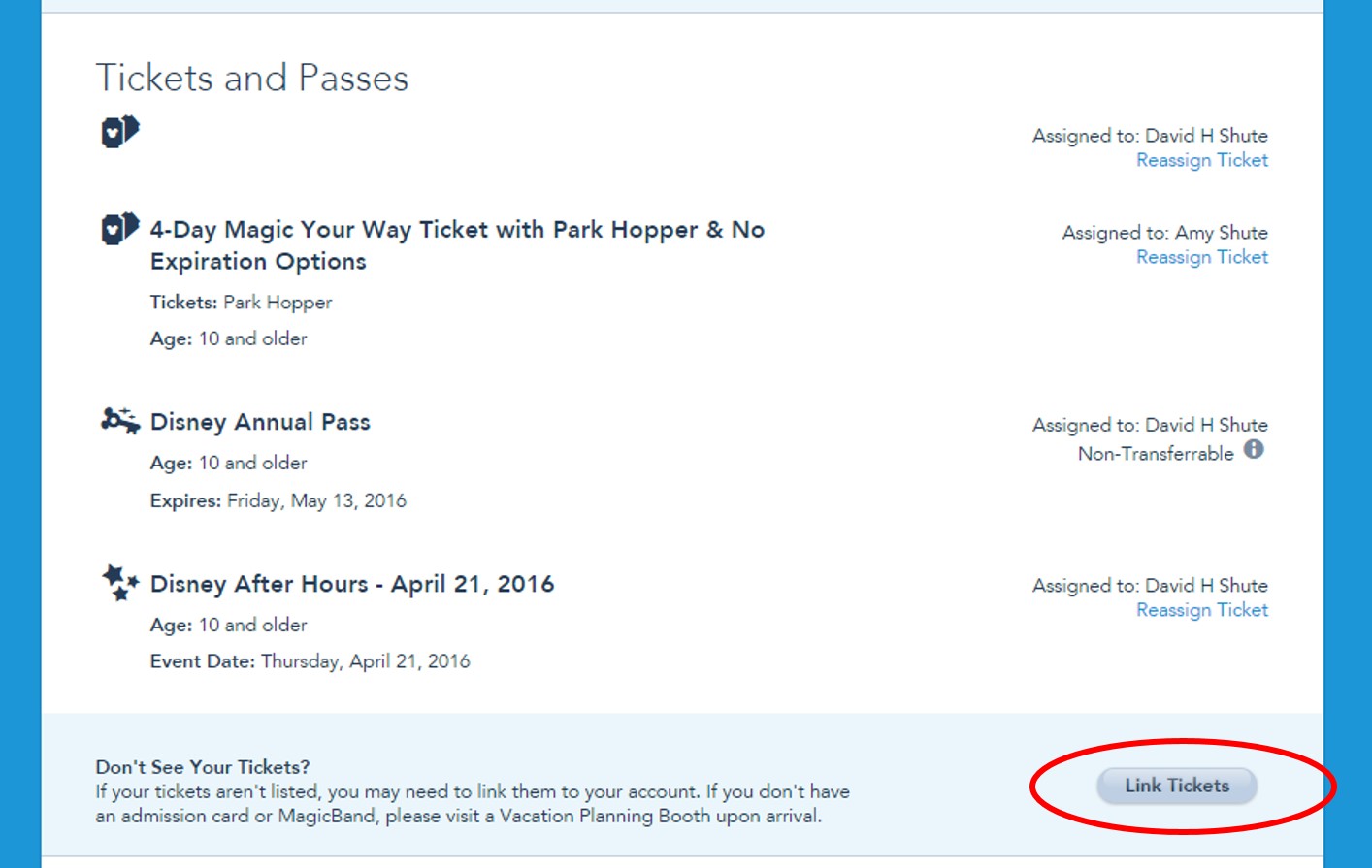
One important feature of this “My Reservations and Tickets” page is that you can link tickets and reservations that you did not make from your MDE account, like if you bought discounted tickets from the Official Ticket Center, (or that just aren’t showing up there) by clicking the “Link Tickets” or “Link Dining Reservations” buttons. You need your reservation numbers to make these work.
“FastPass+” is where you make and modify your FastPass+. Details on how to set up your Disney World FastPass+ are elsewhere on this site.
The next major section is “My Account,” with “My Profile,” “My Family and Friends,” “MagicBands and Cards,” “My Wish List,” and “Annual Passholders.”
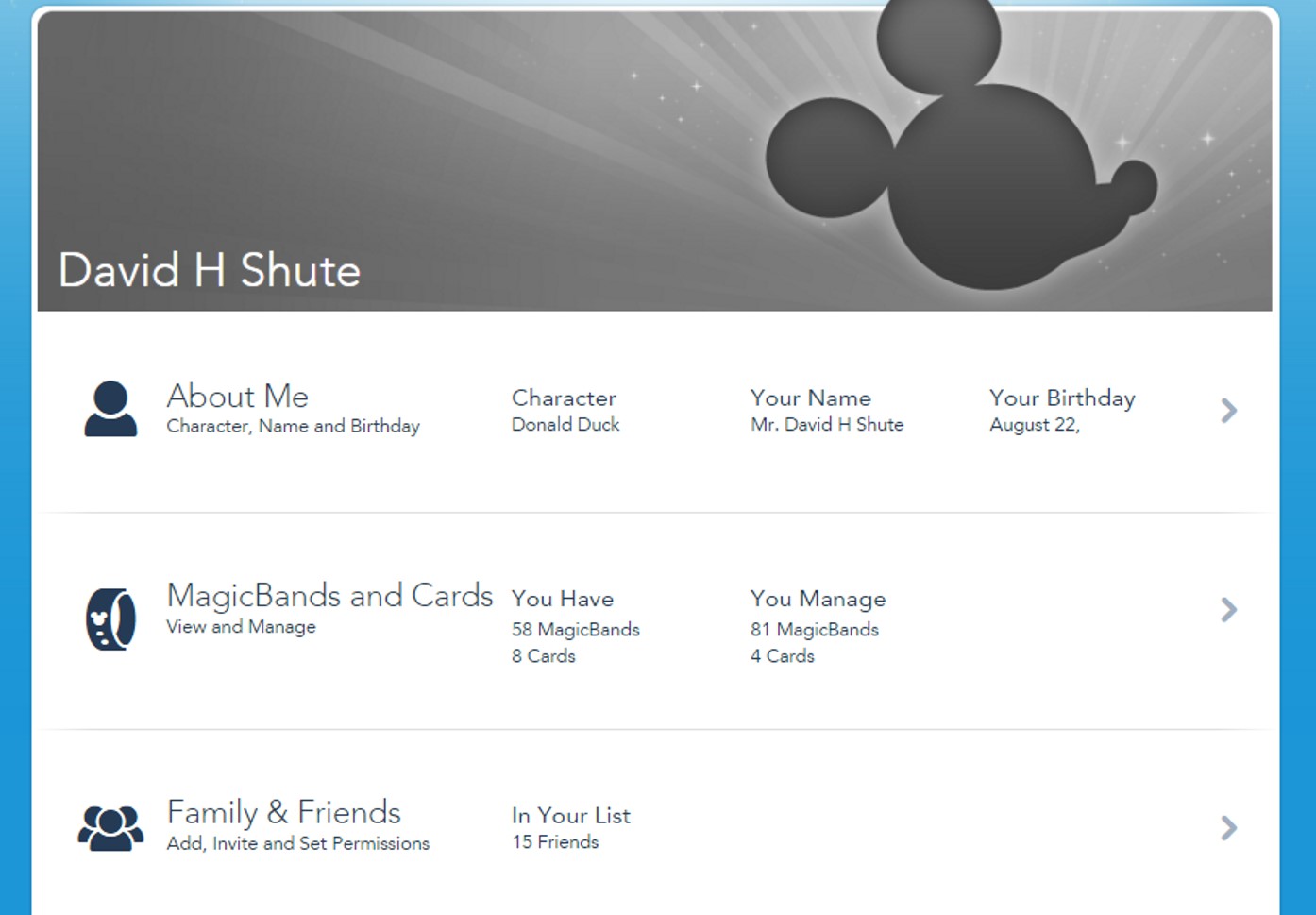
“My Profile” is where you edit, review and change your basic data.
You can also add family and friends through a link here, or through the next menu item, “My Family and Friends.”
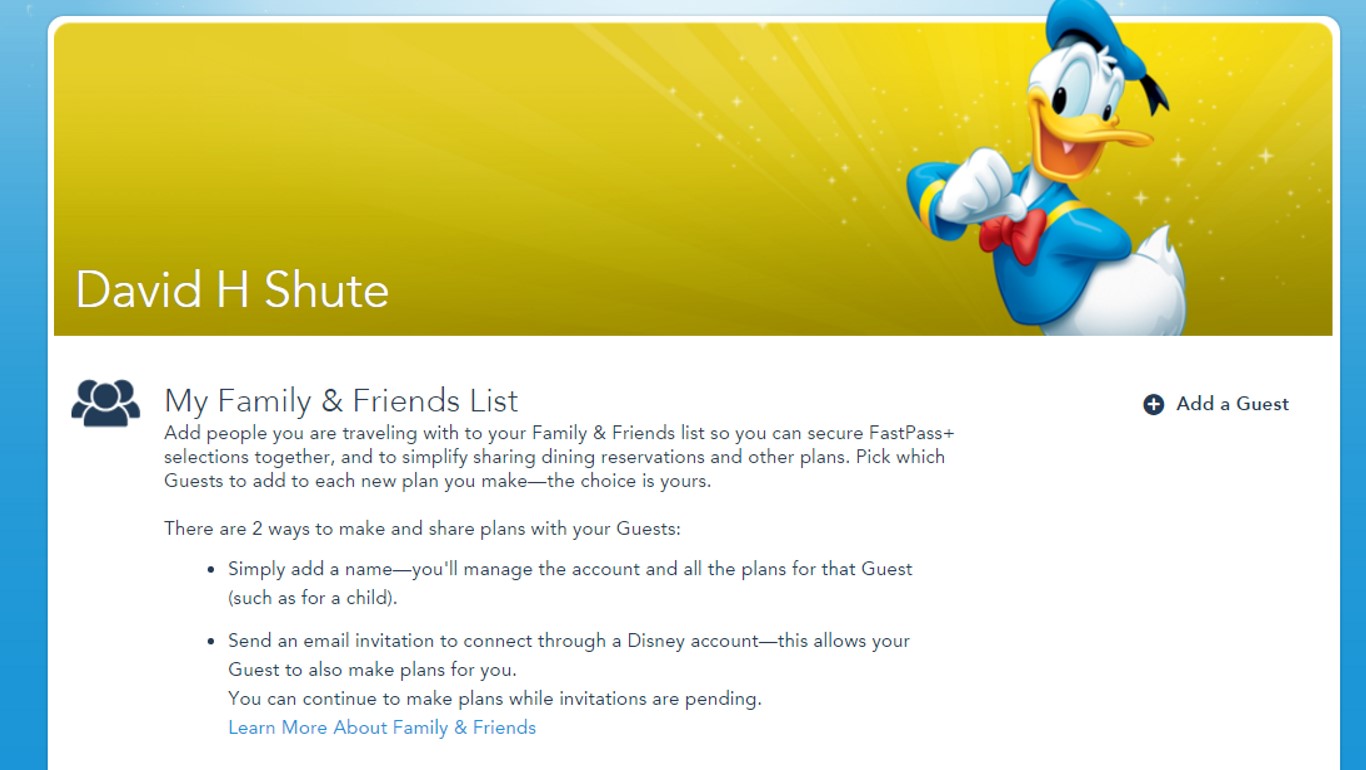
Adding other folk lets you then assign tickets to them, group them into FastPass+ parties you are scheduling, add them to dining reservations, etc. The simplest way to do this is just to type in their name.
Disney has instructions for more complicated relationships here. If you have trouble, try tech support—at (407) 939-5277—and have the ticket and reservation numbers of the missing elements at hand.
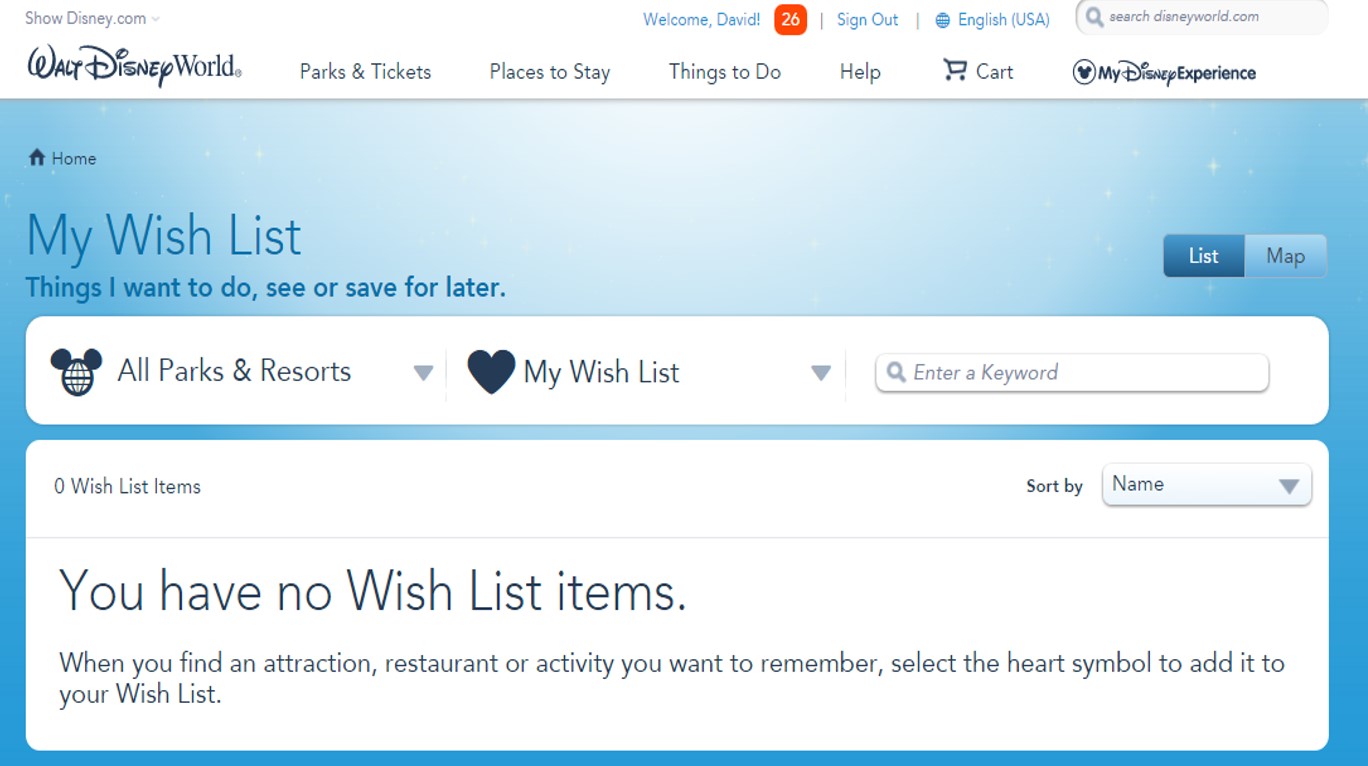
Next is “My Wish List.” I’ve never used it nor do I know anyone who has, but it’s meant as a place to bookmark things you want to do.
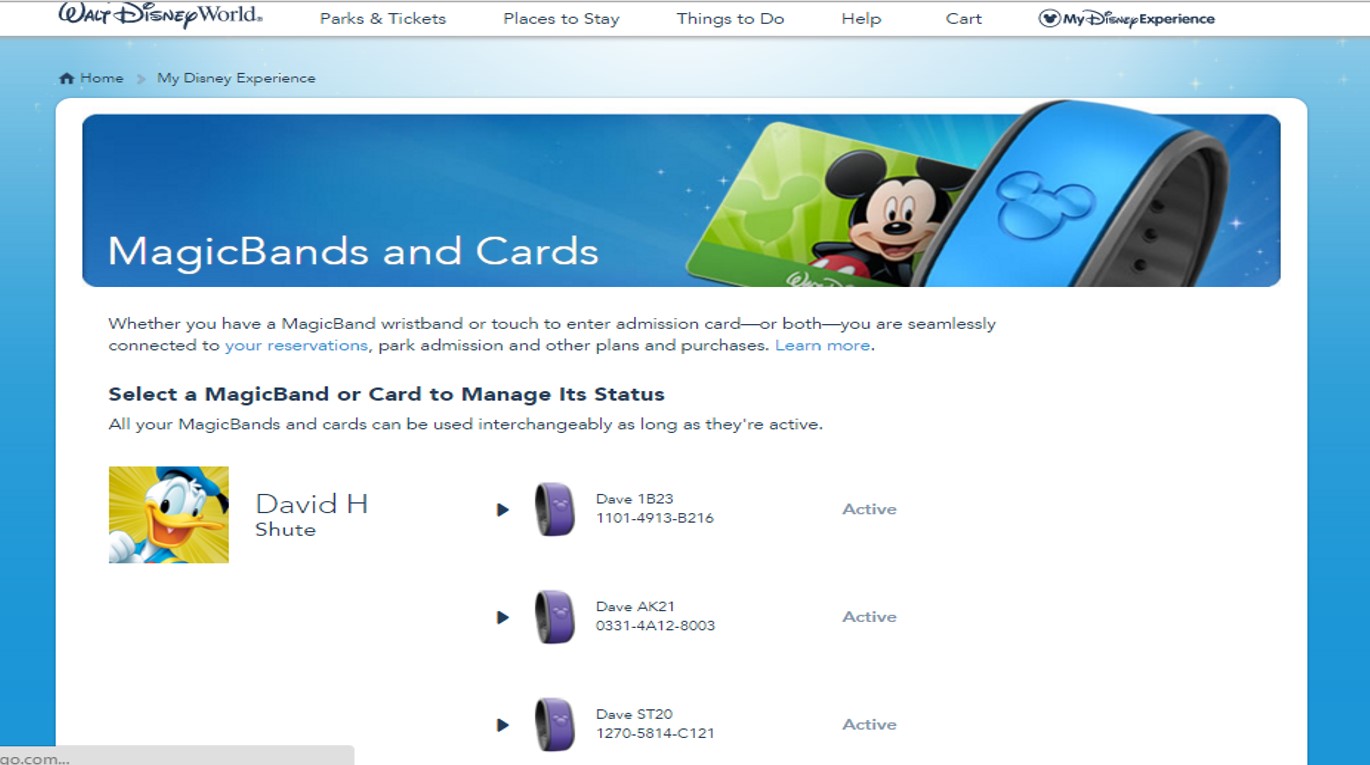
Next is “MagicBands and Cards.” (“Cards” means tickets for which you don’t have MagicBands.)
The most important thing you do here is to de-activate old MagicBands, as having more than around ten active at once messes with Disney’s systems especially at the hotels, as I have learned the hard way. More on MagicBands is below.
The last link in this section is for annual passholders.
The final part of the My Disney Experience dropdown is the “Photography” section with a couple of ways to manage photos if you have PhotoPass shots or have signed up for Disney’s Memory Maker Program
MAGICBANDS
For those staying at a Disney-owned resort, MagicBands are quite handy, and play many roles on a trip. For those not staying at a Disney-owned resort, they do little, are entirely optional, and should really be thought of as souvenirs.
For Disney-owned hotel guests, MagicBands link to everything Disney knows about your trip, and in particular to all of your reservations—hotel, dining, and FastPass+ in particular.
They then function as room keys, park tickets, the link to using your Dining Plan credits, the link to FastPass+, and, if charging privileges are enabled (which you can do or not do for each person on your reservation), a means to charge back to the room.
They contain no personal data—rather, all they have encoded within them is a unique numeric identifier which Disney uses to link up databases in its own systems behind the scenes.
MagicBands are waterproof—you can wear them in the pools or the waterparks. Although designed as wristbands, they don’t even need to be worn on a wrist—you can stick them in a pocket or purse and just wave them about when needed.
Many need to take them off and wave them about anyway since not all the readers work easily when they are on a wrist, especially on hotel room locks.
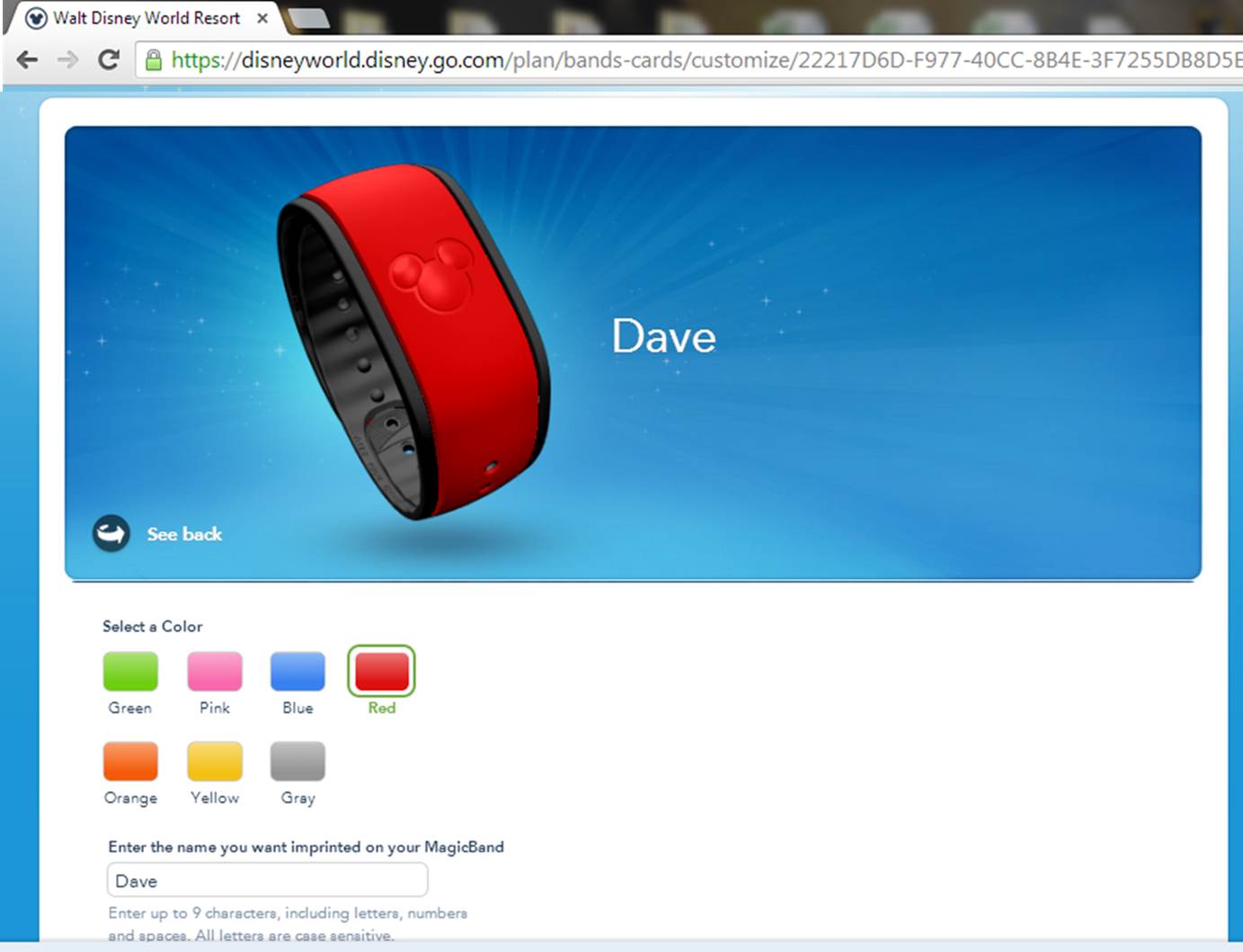
The color and names printed on the MagicBands can be customized online at DisneyWorld.com after booking.
To customize your MagicBands, select MagicBands and Cards from the My Disney Experience dropdown menu. Confirm the shipping address, then select MagicBands one by one for the people in your party. For each MagicBand, pick a color and customize the name, which is limited to nine characters including spaces.
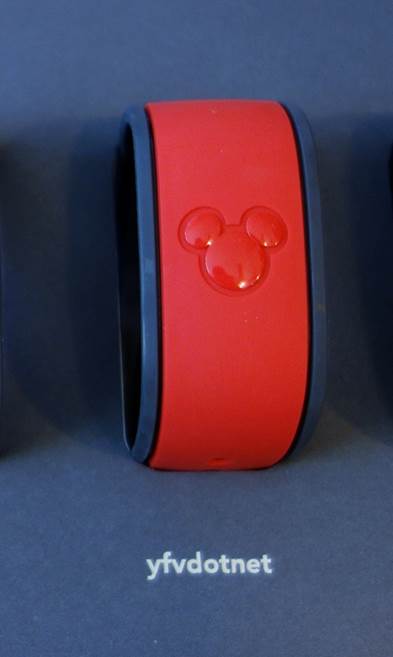
So “yourfirstvisit.net” does not fit.
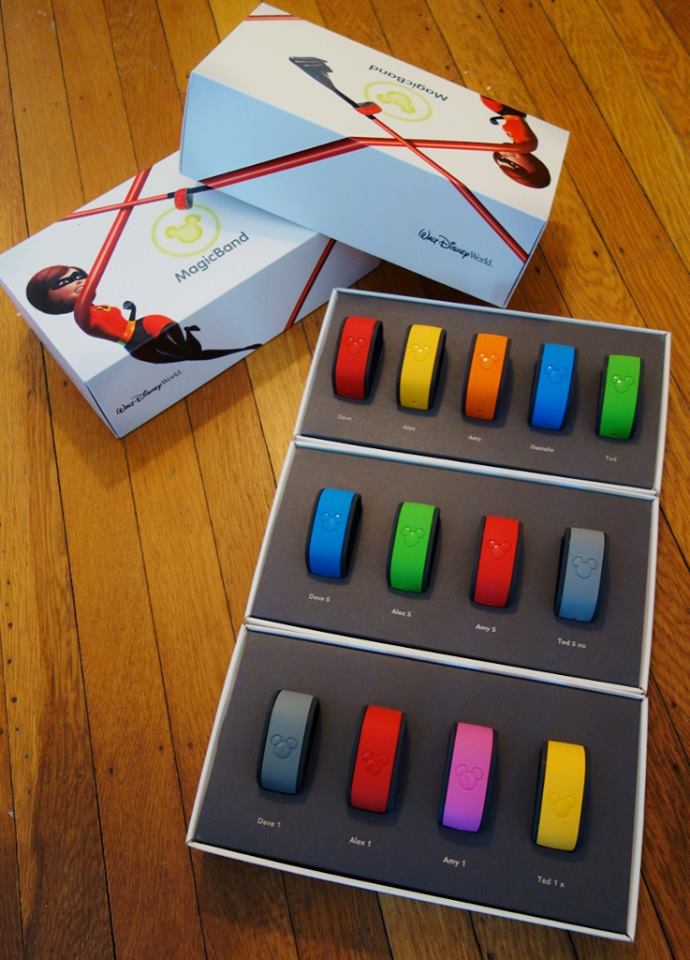
The initial set of colors included red, orange, blue, green, pink, yellow and the default grey.
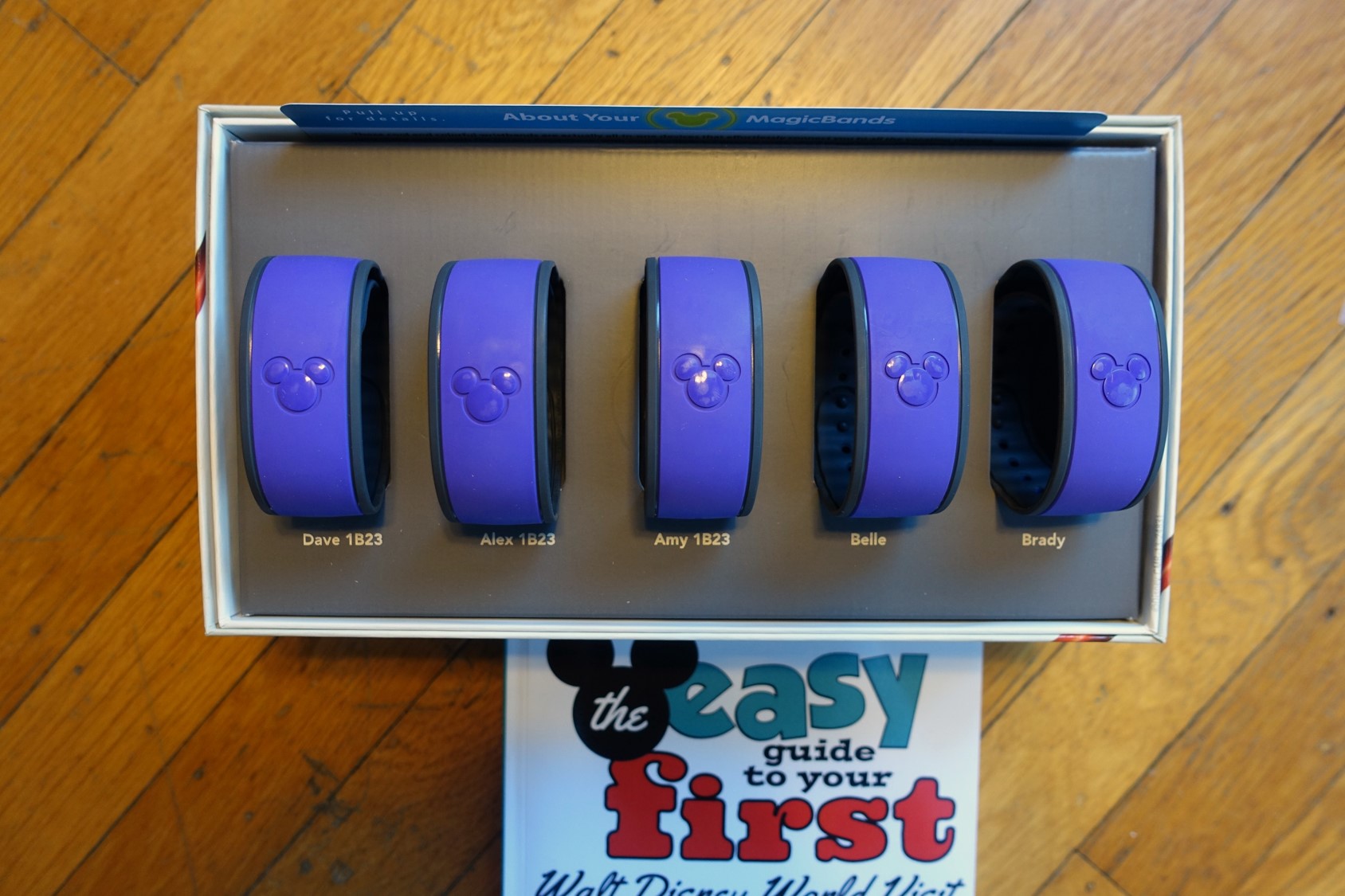
The latest color to be added is purple.
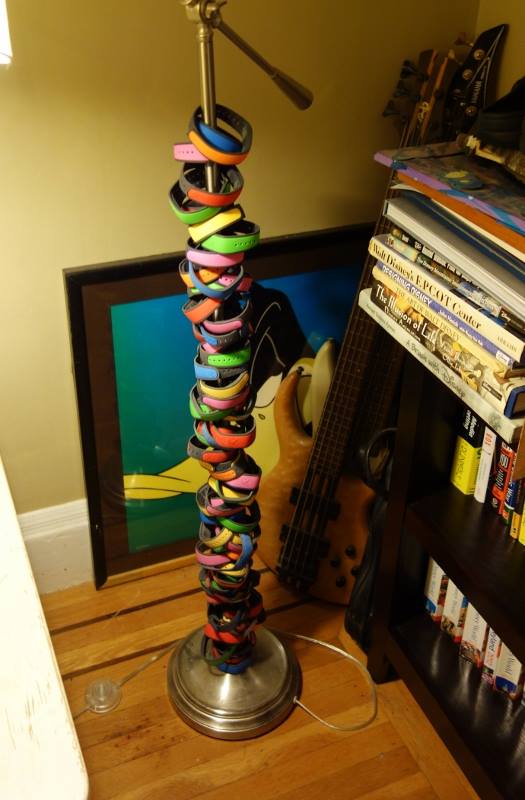
If you already have recently-created MagicBands, you can decline new ones. I haven’t so far, as perhaps you can tell. I have a quaint notion that those who write about Disney World hotels ought to have recently stayed in them, and my stack of MagicBands provides a little evidence that I‘ve done so. So do my reviews.
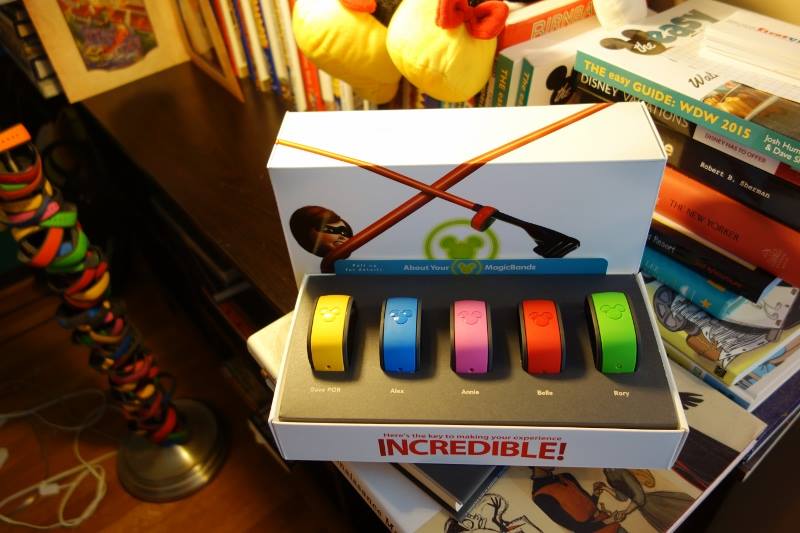
MagicBands will be shipped directly to the U.S. address of your choice if they’re customized at least 10 days before the arrival date. MagicBands customized closer to the check-in date will be available at check-in at the resort.
Disney does not ship MagicBands internationally,which means all visitors without a U.S. address will pick up their MagicBands at check-in. If you fail to customize the MagicBands at all, grey MagicBands will be waiting at the resort at check-in.
Those not staying at a Disney-owned resort can purchase MagicBands on site. The MagicBands of such visitors are linked at the time of purchase to their theme park ticket, and the MagicBand can then be used for FastPass+. Note that a MagicBand is not required to use FastPass+ (a ticket, of course, is required) and off-site guests can simply scan their ticket instead of a Band.

Follow yourfirstvisit.net on Facebook or Twitter or Pinterest!!
April 13, 2016 18 Comments
The Basics: Setting Up Your FastPass+
Note: Disney is not currently offering FastPass+. It has been replaced by two paid programs, covered here.
Disney World’s FastPass+ program is one of the most important ways to reduce waits on your Disney World visit. The overall program and recommended FastPass+ are covered here.
This post is about the mechanics of setting your FastPass+ up using your web browser. (Disney hopes people will use browsers for planning, and the app for in-Orlando changes. Doing it via the app is covered in Josh’s post here.)
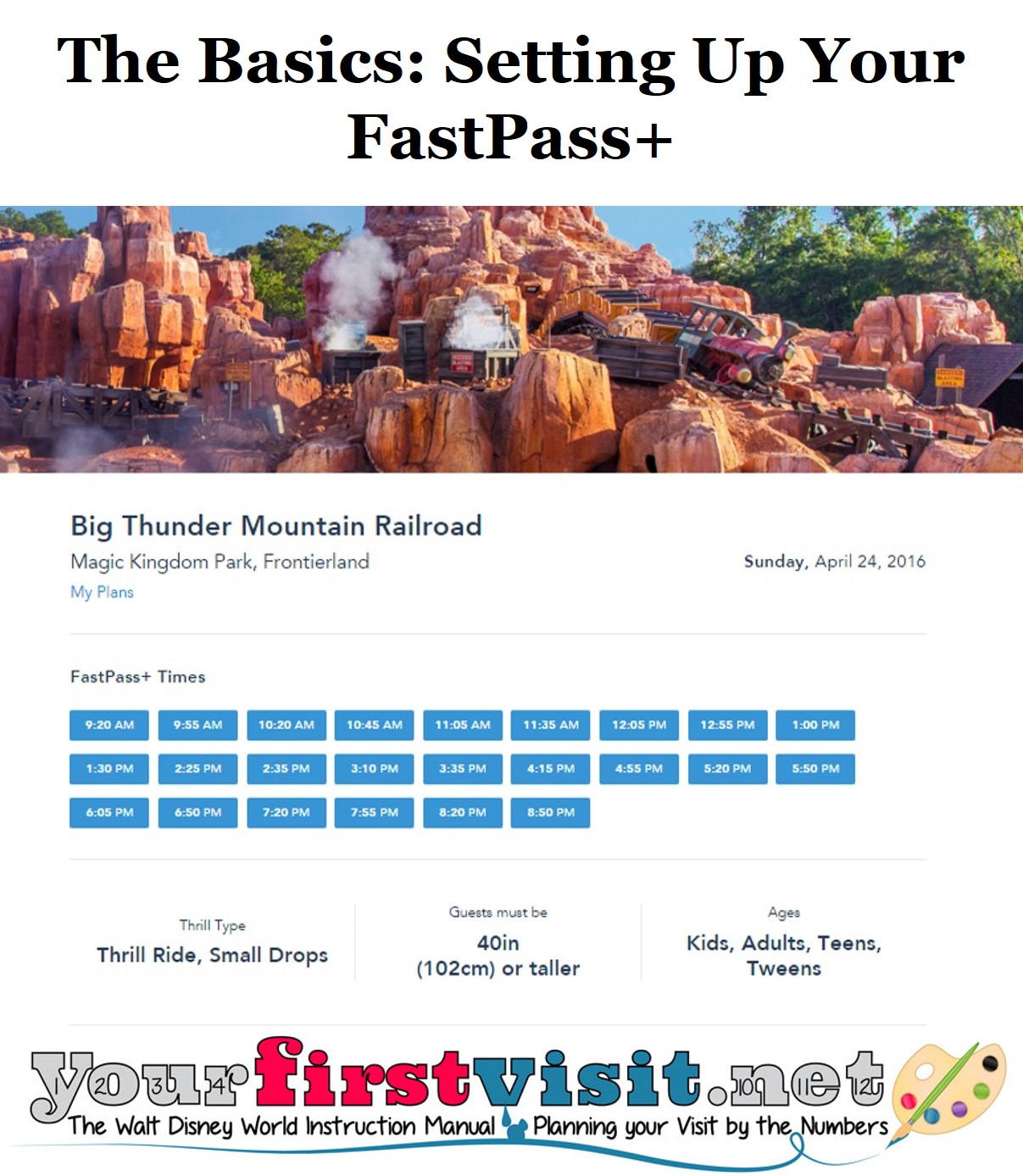
To book FastPass+, you need a My Disney Experience account with valid tickets linked within it for the folk for whom you plan to make FastPass+.
(It’s easiest if you set the account up first, then buy your tickets from within the account. But you can also link tickets you already have, or that you bought at a discount from someone like The Official Ticket Center.)
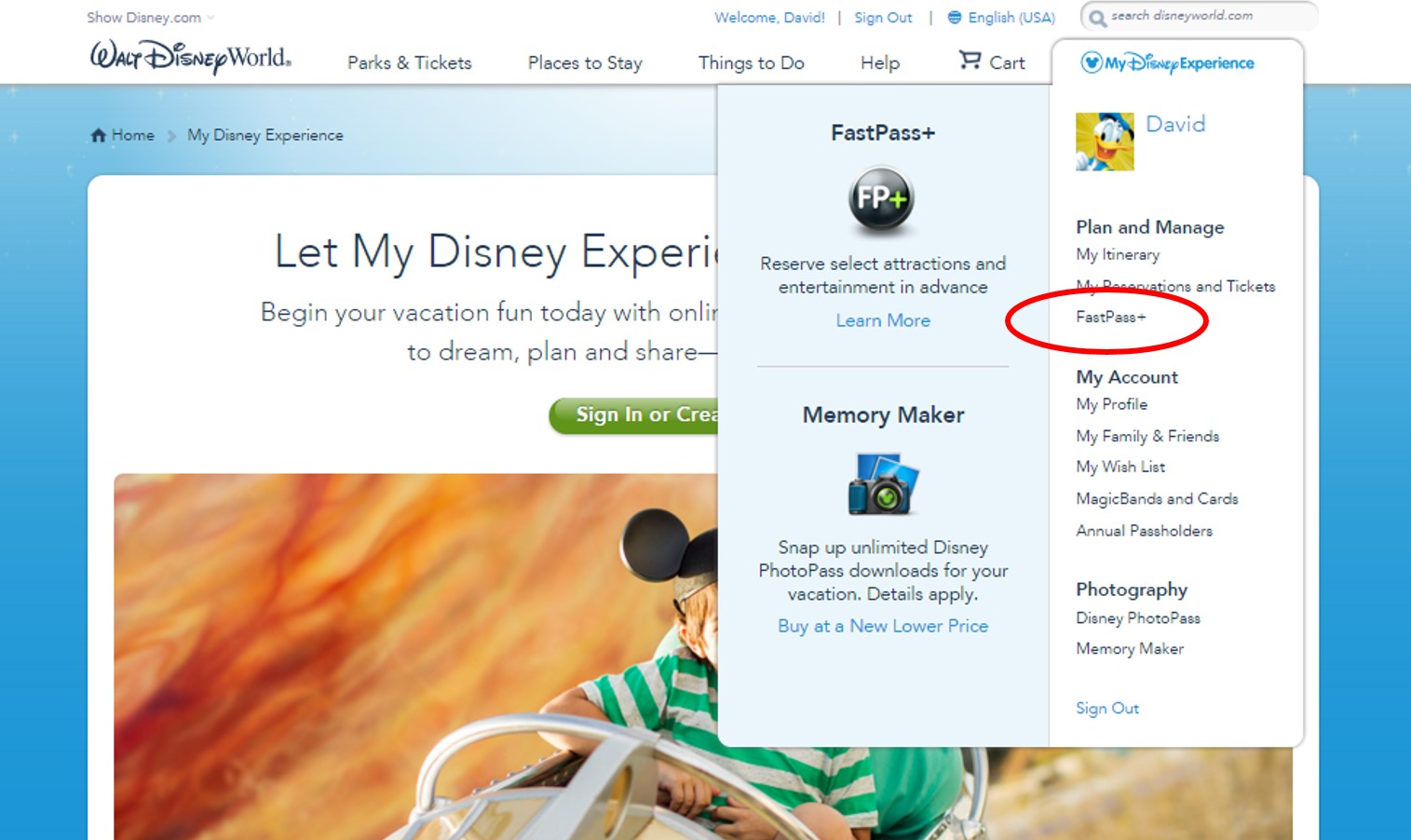
Log in, and at the top right hover over the words “My Disney Experience.” From the drop down that emerges, click FastPass+.
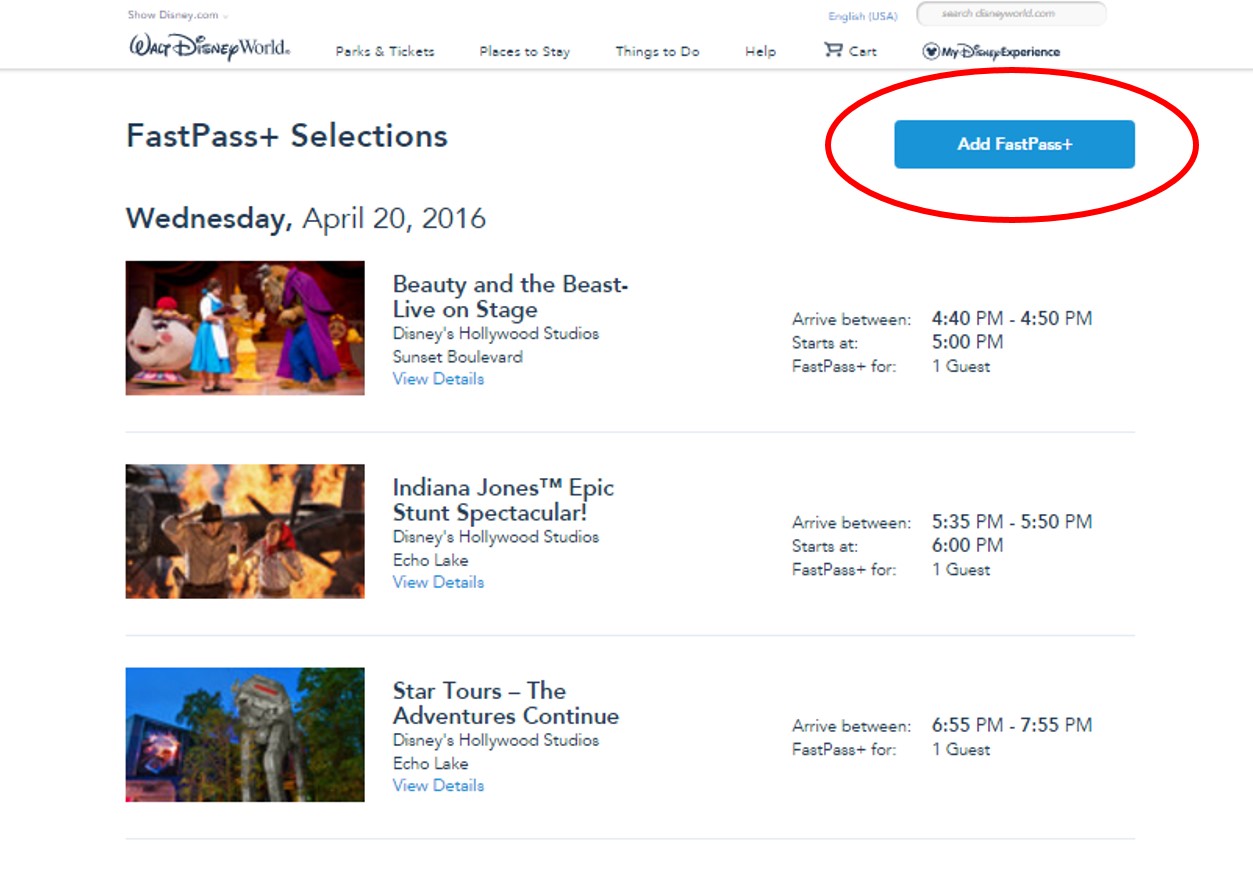
If you already have FastPass+ booked, your current ones will show. Click
“Add FastPass+” to add more. (If you have none, you’ll go straight to the next page.)
Then you add, one at a time, FastPass+ up to a total of three per day.
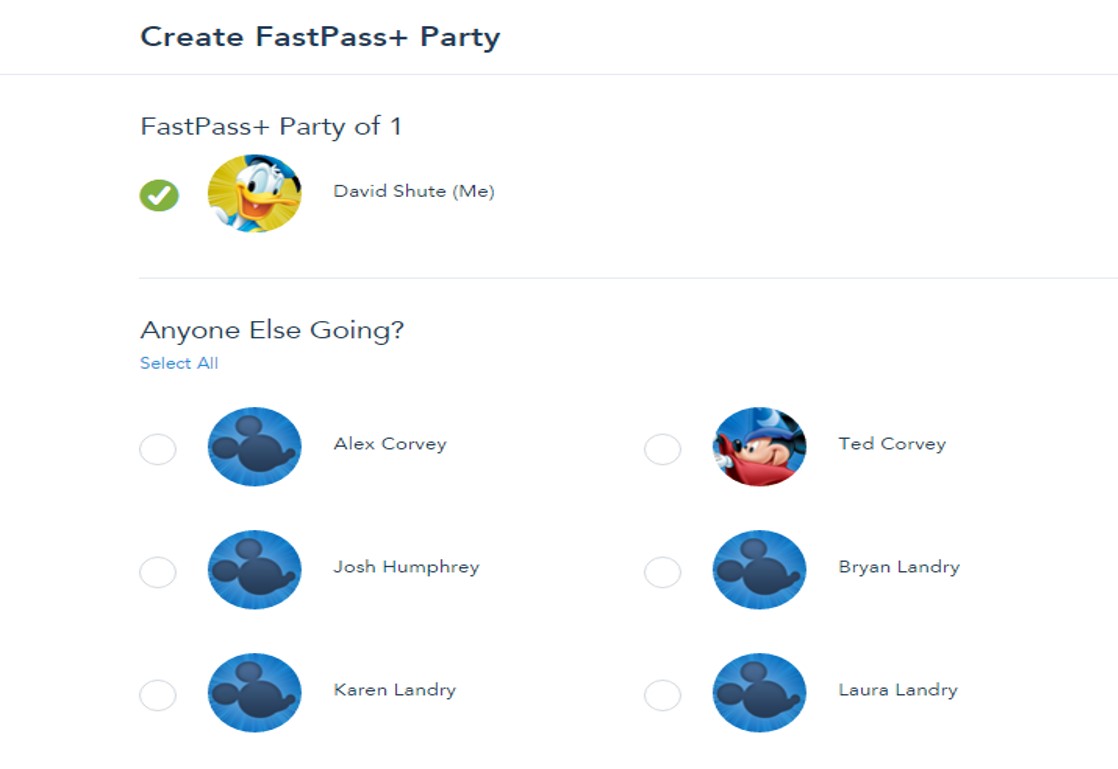
First you select the party for your FastPass+.
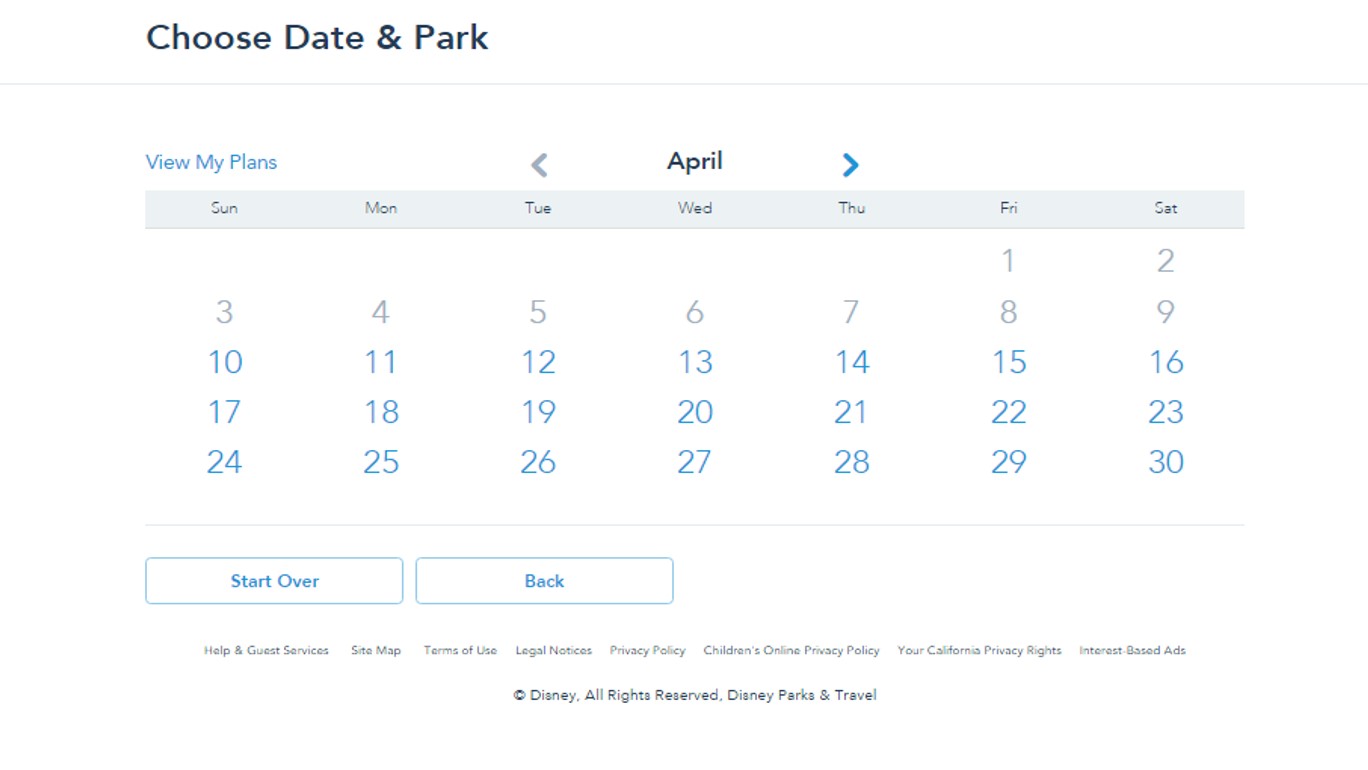
Then you pick the date…
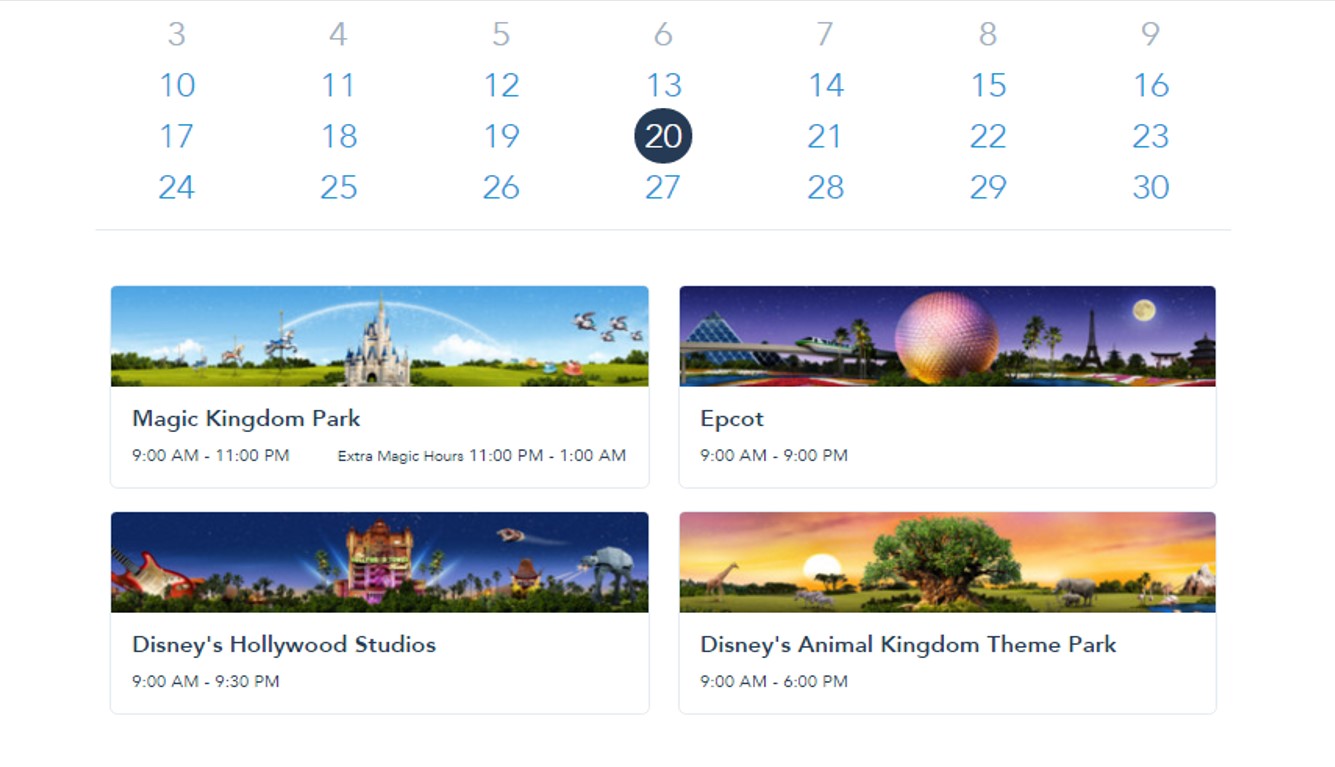
…and then at the bottom of the calendar page the park.
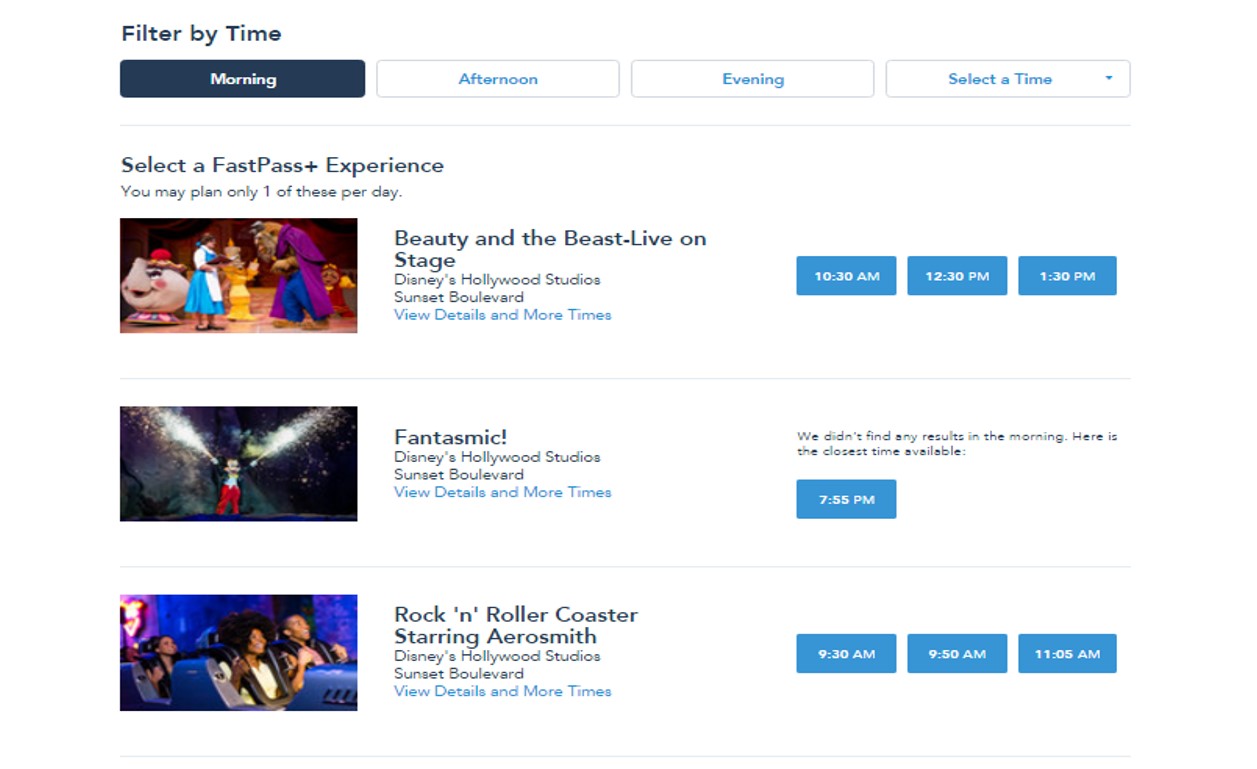
Rides and some possible times for your FastPass+ that day will then show on your screen.
Note that there are tabs above where you can target morning, afternoon, and evening. Attractions only available in the evening will still show, even if you picked morning, like Fantasmic in the image above.
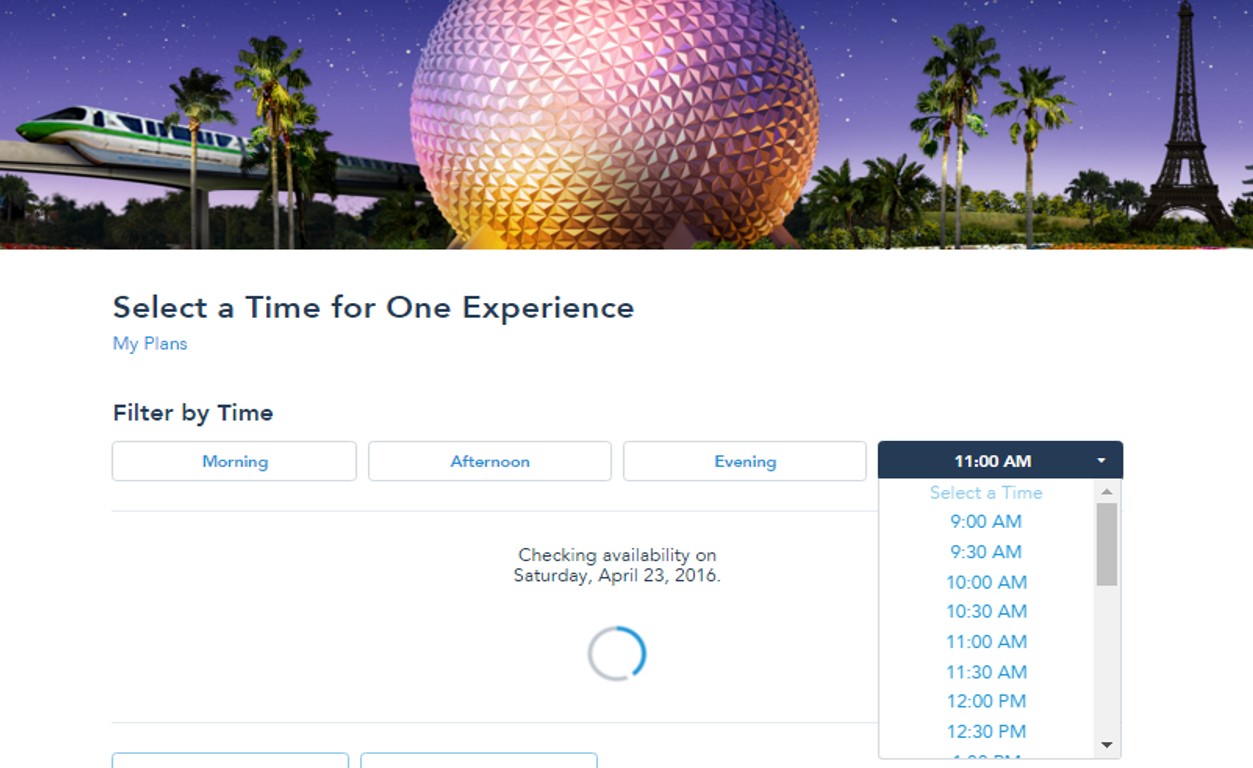
By clicking the rightmost tab, you can even target a specific time.
By default, the system will show only up to three time choices for each ride.

But note that under each ride’s name is a link “View Details and More Times.”
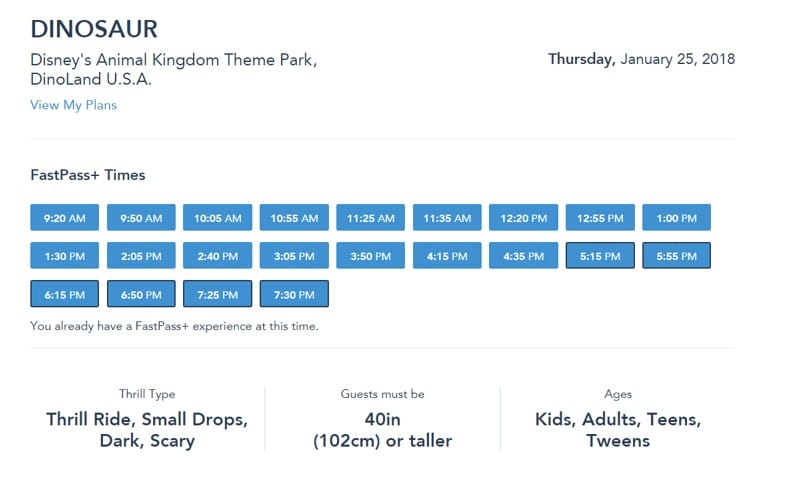
Click it, and if available you’ll see a lot more times to pick from. It’s a little subtle, but times that conflict with your other FastPass+ have a black border around them. In the DINOSAUR example above, the black border begins at 5.15p.
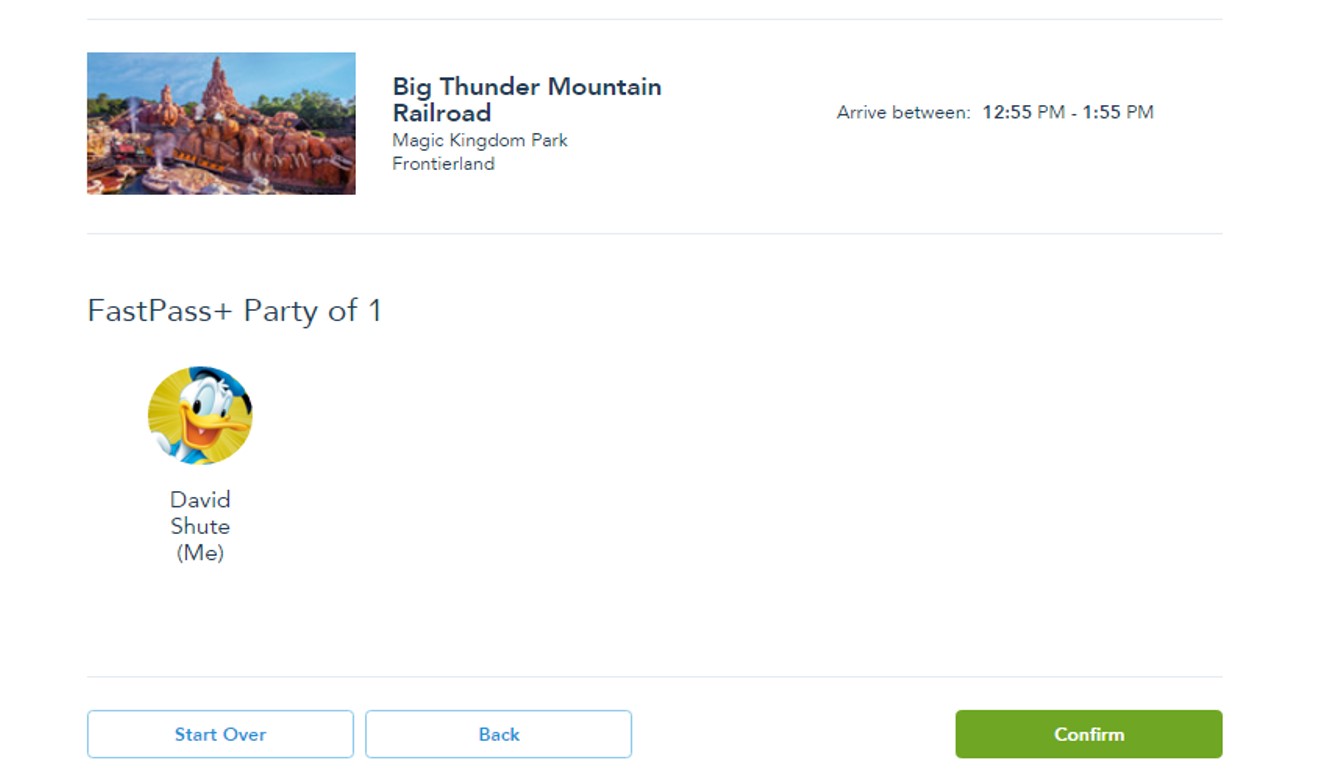
Tap the time you want, and hit the green “Confirm” button at the lower left of the next screen.
Your FastPass+ may conflict with another time you’ve picked, or even a set of FastPass+ at a different park.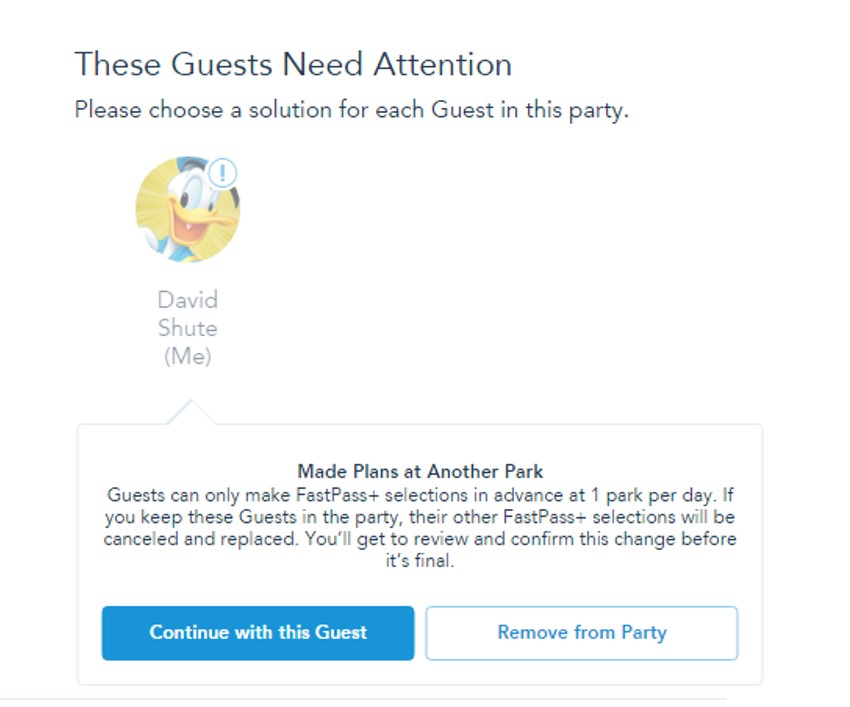
If so, you’ll get something like this error screen.
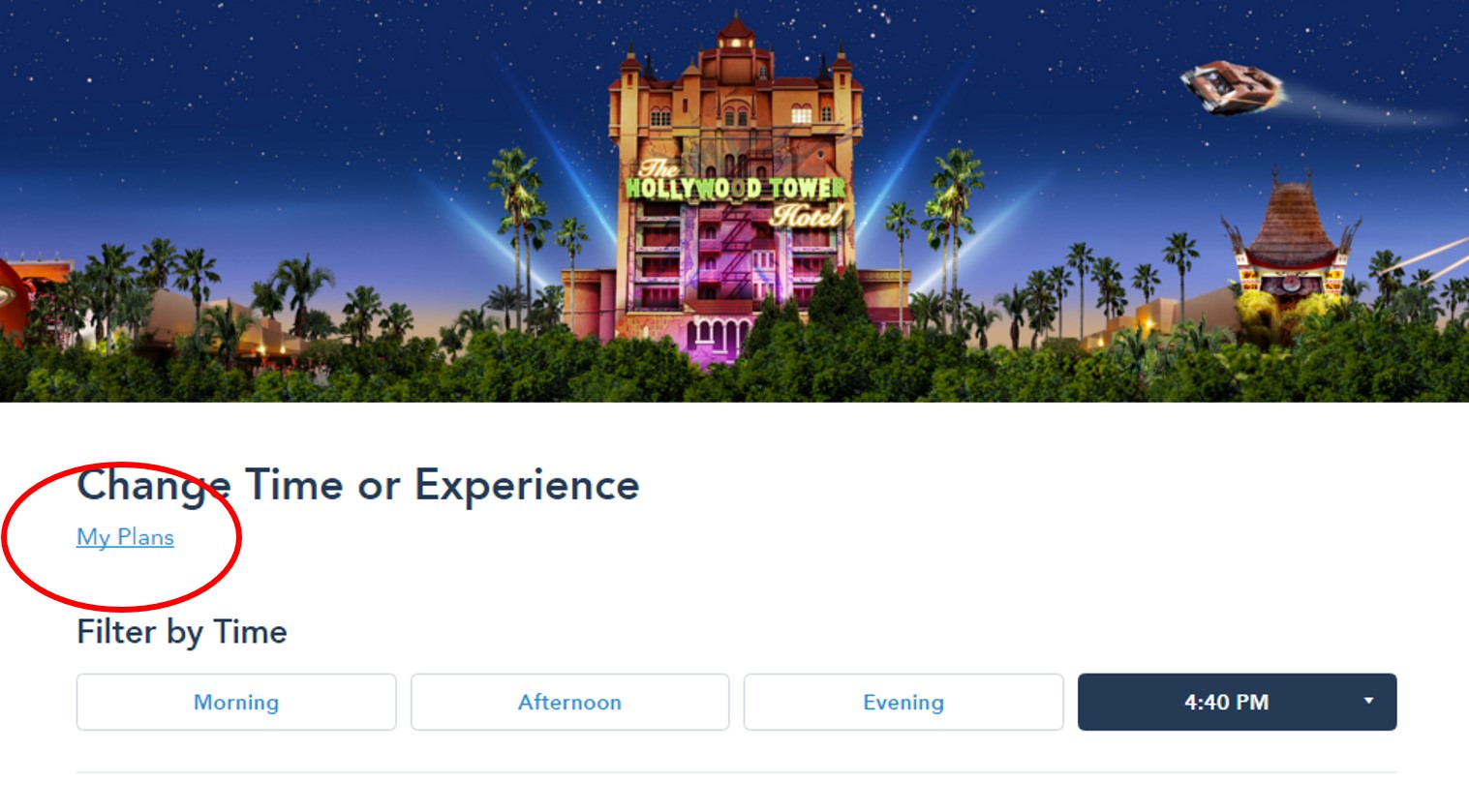
If you lose track of the FastPass+ you’ve already booked for that day, most pages have a link “My Plans” in the top left.
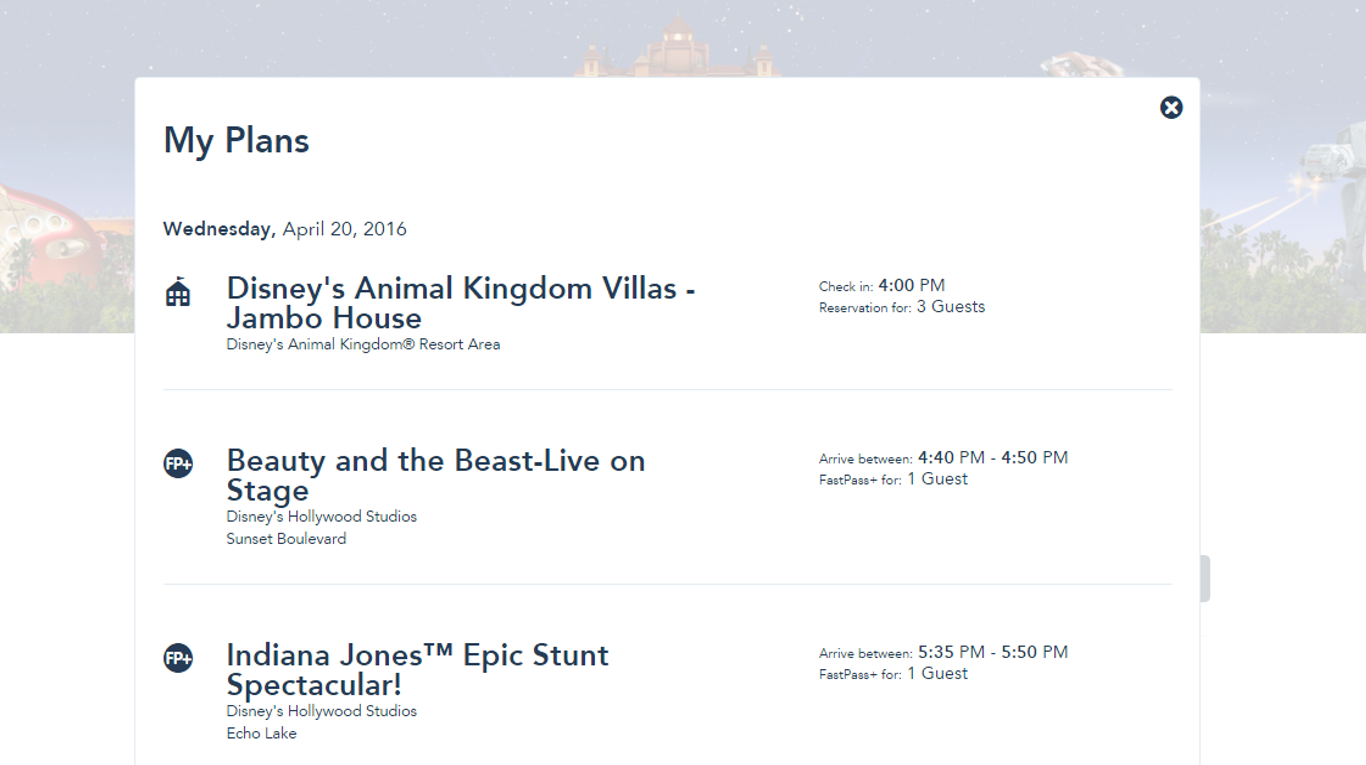
Click that and a pop up of your plans will show up. Scroll down to the appropriate day to see what’s up, then X out the pop-up.
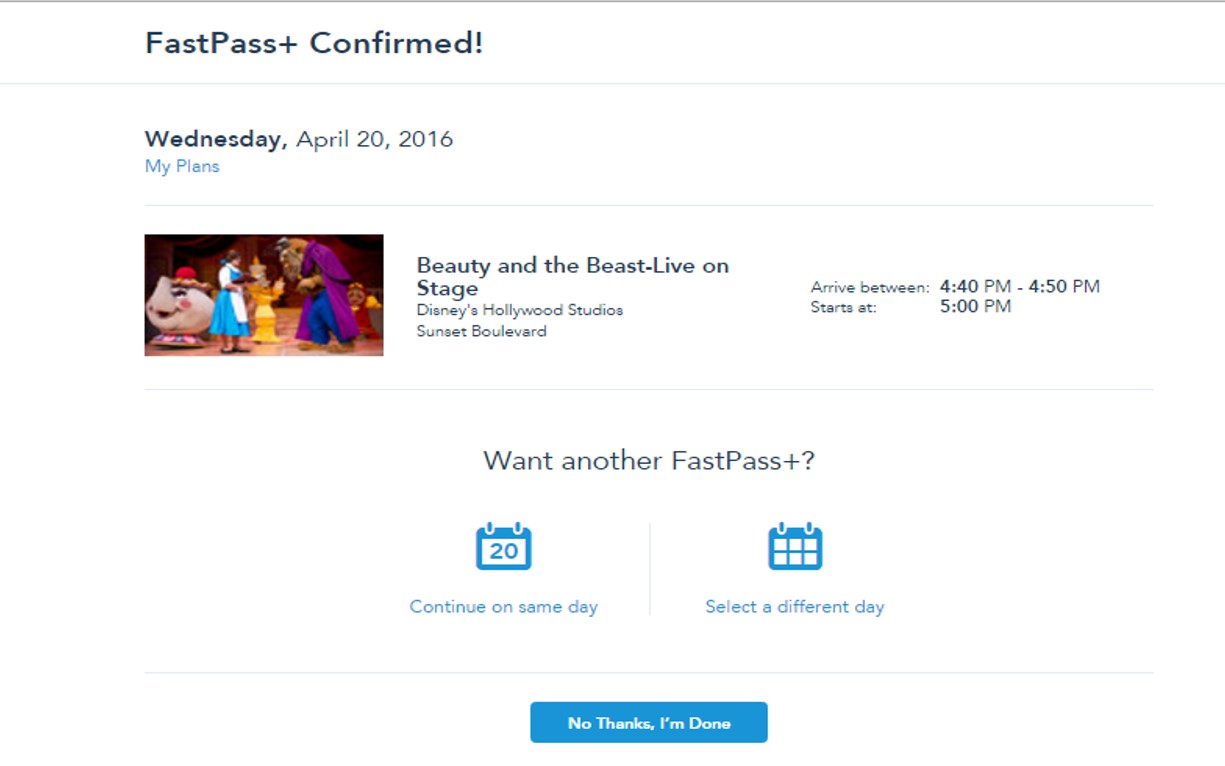
Once you have a successful “confirm,” the screen above opens, giving you the choice of continuing that day or working another day. Either way, you will start back at the beginning, picking the people involved for whom you are scheduling a FastPass.
Changing your FastPass+ after they are booked is also straightforward. Open the FastPass+ material just like you did above (by hovering over the “My Disney Experience” words at the top right) and your current FP+ will load:
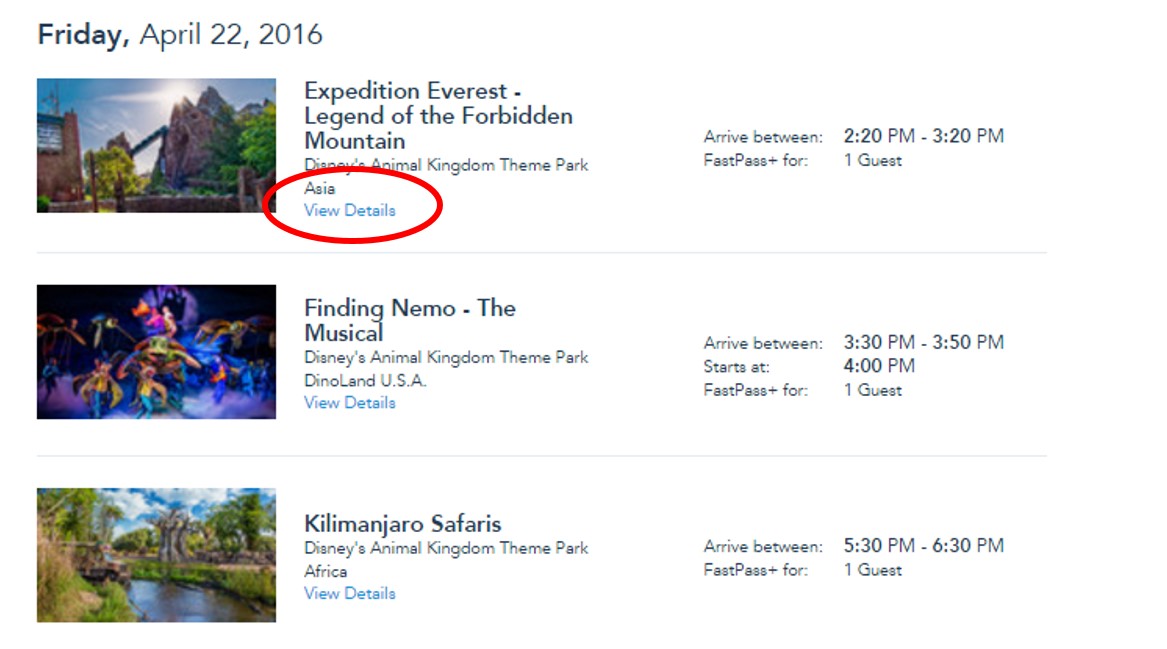
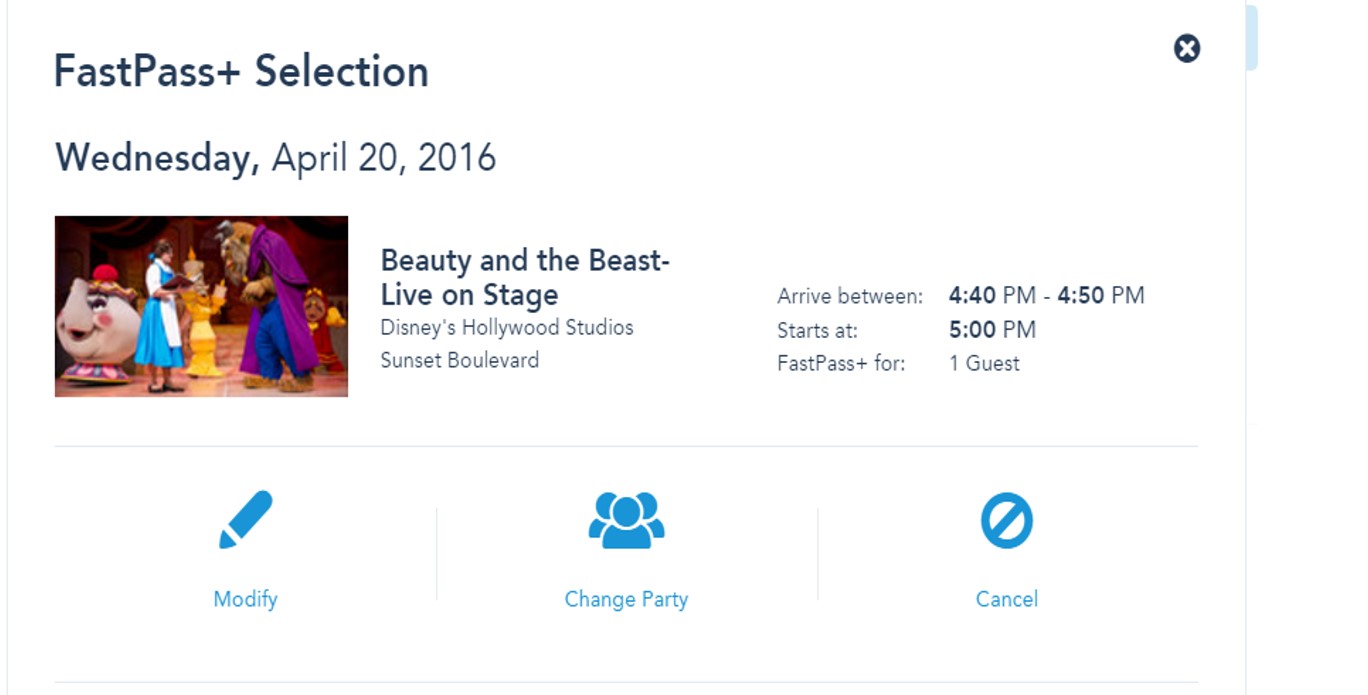
Click “View Details” and you’ll get a screen allowing you to modify the FastPass+–change its time, its folk, or cancel it altogether.
There’s a couple of additional features to FastPass+ worth noting:
- As noted above, you can now make one, two or three in advance. In the old system, you had to book three.
- In the parks, as soon as you have tapped in for the last one you booked in advance, you can use the app to book another one, if available. You don’t have to go to a kiosk, and you don’t have to be in the park where you want the FastPass+
Follow yourfirstvisit.net on Facebook or Twitter or Pinterest!!
April 12, 2016 15 Comments
Meet Two Celebrated Authors April 23rd at Epcot
In recent years an average day sees more than 30,000 people in Epcot (likely fewer in 2016, as the refurb of Soarin has cut back on crowds and sent them to the Animal Kingdom and Magic Kingdom instead).
Among these guests odds are that at least a few will be celebrated authors, and you—yes, you—can find them by asking everyone you see “Are you a celebrated author—No? Then are you? What about you?”
If the search for celebrated authors doesn’t work, or for some reason you are unwilling to ask, you could give up and meet me and Josh instead.

Josh (of easyWDW) and I are the un-celebrated co-authors of The easy Guide to Your First Walt Disney World Visit, the best-reviewed Disney World guide book ever published, and we’ll be meeting folk, signing anything you might want us to sign, and giving away a few books as well.
We’ll be at Epcot on Saturday April 23 at the ledge outside the Mexico Pavilion from 1p until 2p or so. Come by and chat!
Follow yourfirstvisit.net on Facebook or Google+ or Twitter or Pinterest!!
April 11, 2016 No Comments
Sign Up for the Free Dining Watch List
My friends at Destinations in Florida have put together a Free Dining watch list! Here’s the scoop and how to sign up!

Have you always dreamed of staying at one of the Disney Deluxe resorts? Has a Disney vacation been out of your family’s budget?
Well this may been just what you are looking for….. the Disney Free Dining Deal. This is Disney World’s most popular discount offer all year. Free Dining puts food in your belly and money back in your wallet!
While Disney hasn’t released any official notice of this discount offer, it has historically been offered to the public in mid to late spring each year for travel dates in fall (including September-December).
You can be among the first to hear about Free Disney Dining!
Sign up today for the yourfirstvisit.net Watch List and be the first to know about Disney’s 2016 Free Dining Discount. PLUS, you will receive a Mickey Mouse Fun Pack FREE, our gift to you.
Click here to sign up today!
Follow yourfirstvisit.net on Facebook or Google+ or Twitter or Pinterest!!
April 9, 2016 Comments Off on Sign Up for the Free Dining Watch List
A Friday Visit with Jim Korkis: General Joe Potter
Welcome back to Fridays with Jim Korkis! Jim, the dean of Disney historians and author of Jim’s Gems in The easy Guide, writes about Walt Disney World history every Friday on yourfirstvisit.net.
GENERAL JOE POTTER
By Jim Korkis
William E. “Joe” Potter was born in Oshkosh, Wisconsin, on July 17, 1905. He died on December 5, 1988, in Orlando, Florida, at the age of 83 of heart failure. He was inducted as a Disney Legend in 1997.
As former president of Walt Disney Attractions Dick Nunis recalled in 1988 to the Orlando Sentinel newspaper, “Joe was a man Walt Disney was very fond of. Without Joe Potter there would be no Walt Disney World today.”
It was General Potter who got the land in Central Florida prepared for building. Admiral Joe Fowler then was in charge of construction on the property.
Potter oversaw construction of the Walt Disney World Resort’s entire infrastructure. He supervised the building and operation of the underground utilities and sewer, power, and water treatment plants that were considered revolutionary at the time.
He also developed drainage canals for the entire property, which were known affectionately as “Joe’s ditches,” and kept the water table constant.
“I went out and got three crackerjack college professors to show me how to do it,” Potter joked in an interview a year before his death. “And then I got me another professor to help put the utilities underground.”
During World War II, Potter directed logistical planning for the invasion of northern France, a transportation operation nicknamed “Red Ball Express.” In 1956, President Dwight D. Eisenhower appointed Potter to serve as governor of the Panama Canal Zone.
At the end of his tenure as governor, and after 38 years with the United States Army, Potter retired as an Army Major General in 1960. In his long career, he had been decorated with the Distinguished Service Medal, the Legion of Merit, the Bronze Star, and the Croix de Guerre.
Soon after his “retirement,” he became executive vice president of the 1964-65 New York World’s Fair and was responsible for handling the construction of the federal and state attractions. These included 26 state pavilions and the $17-million United States pavilion.
At this time, he met Walt Disney (who had supplied attractions for four pavilions at the fair) who immediately realized that this was the man to be the vice president of his mysterious Florida Project and to prepare the land so it was suitable for construction.
“It didn’t take you long to realize that Walt was a beginner of things, not a finisher,” Potter said, meaning that Walt would spark the initial idea but depend on others to make it a reality.
Potter retired from Disney in 1974 as a senior vice president of Walt Disney World, as well as president of the Board of Supervisors of the Reedy Creek Improvement District. He later was president of Potter, Fowler and Associates Management Consultants and served on numerous civic and business boards, including the Greater Orlando Aviation Authority.
“I knew that we were going to have a project in Orlando many months before I joined Disney in September 1965,” stated Potter in 1976. “I had various functions. One was to establish the government, the Reedy Creek Improvement District. In that way, we were able to establish our own building department, develop our own building code, establish our own zoning, and do all of those things that are normally done by a county.
“You must realize that at the time Orange County did not have the facilities to examine plans for, let’s say, a castle. No complicated buildings had been built in Orange County so the county, of course, was not staffed to examine plans and conduct the inspections requiring all buildings meet the safety and welfare specifications of those buildings.
“We spend an enormous amount of time planning things and dissecting them, ‘committeeing’ them down darn near to death and then finally with approval, building them.”
* * * * *
Thanks, Jim! Most Disney World fans know that one of the ferries that travel the Seven Seas Lagoon is named after General Potter.
And come back next Friday for even more from Jim Korkis!
In the meantime, check out his books, including Secret Stories of Walt Disney World: Things You Never You Never Knew , which reprints much material first written for this site, and The Vault of Walt: Volume 4, and his contributions to The easy Guide to Your First Walt Disney World Visit, all published by Theme Park Press.
Follow yourfirstvisit.net on Facebook or Google+ or Twitter or Pinterest!!
April 8, 2016 No Comments